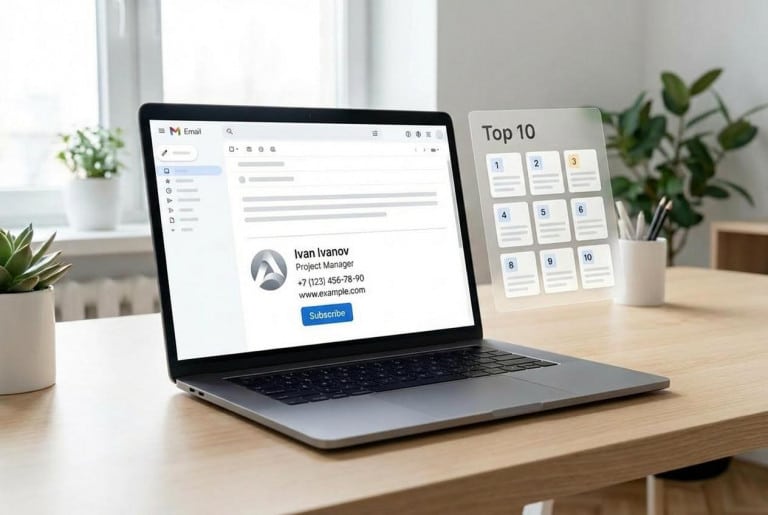
Over the years working in branding, one detail keeps resurfacing: in email communication, it’s not “beauty” that wins — it’s manageability. An email signature is that “last screen” of a message that either closes the interaction cleanly or leaves a messy impression.
In 2026, a signature is no longer a formality — it’s a mini landing page, a business card, and a brand control point all in one place.
Below is a breakdown of how to choose an email signature generator for business needs, the common mistakes that break signatures in Outlook/Gmail and on mobile, and a ranking of 10 tools.
Table of Contents
How to Choose an Email Signature Generator for Business Needs
The market has split into two main categories:
- “Create a signature in one evening” generators — suitable if a signature is needed for one person or a small team without strict control.
- “Company-wide signature managers” — signatures are added centrally, with templates, policies, disclaimers, and analytics.
From a business perspective, four criteria matter most and are consistently mentioned in 2026 reviews: centralized management, integrations (Microsoft 365 / Google Workspace), analytics, and compliance (disclaimers, policies).
This is explicitly stated by vendors and rankings that emphasize “consistent, compliant signatures” and organization-level control.
For example:
- Exclaimer focuses on automation and compliance for Microsoft 365 and Google Workspace.
- CodeTwo emphasizes centralized management across all clients and devices.
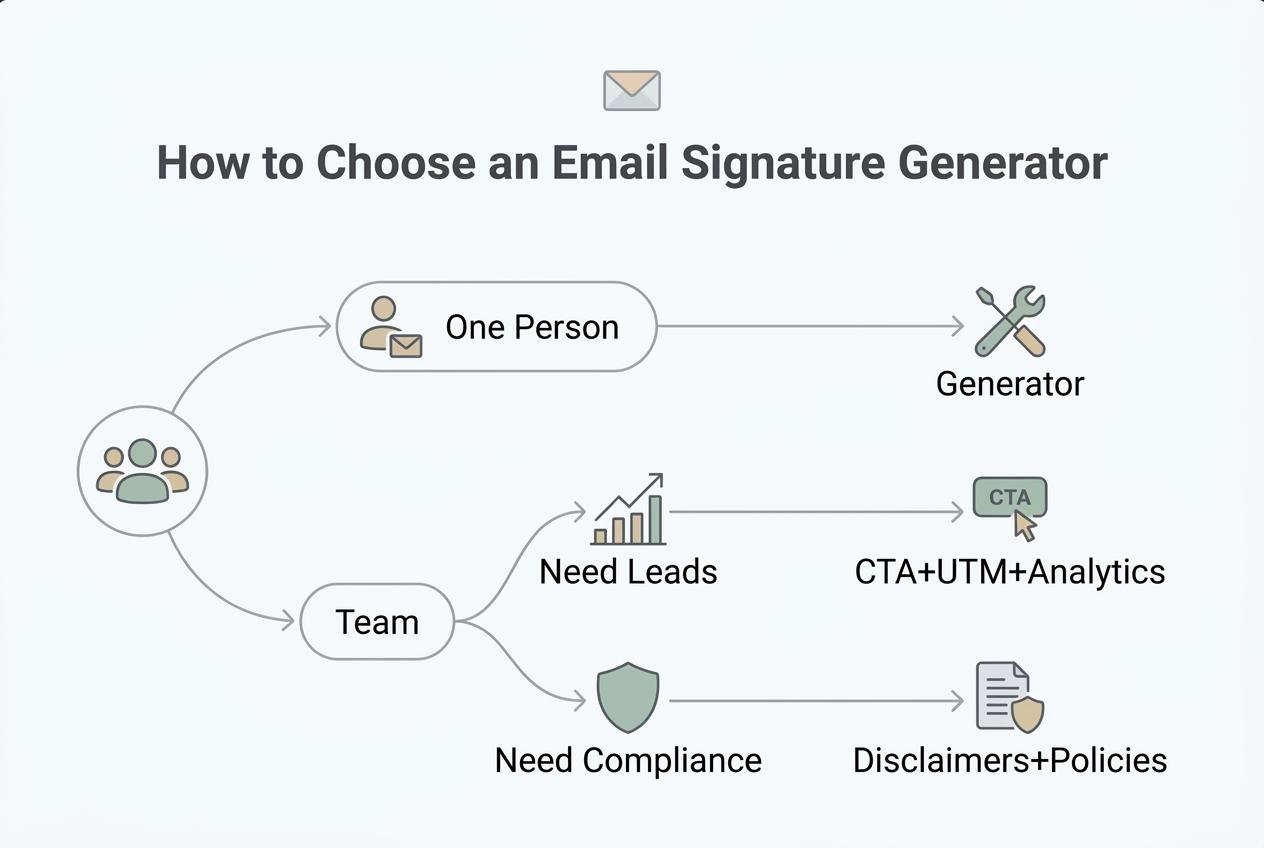
If a Signature Is Needed for One Person
The “single user” approach is about speed and stability:
- templates to avoid building design manually
- export that doesn’t break in popular email clients
- simple setup in Gmail/Outlook
In most cases, free or freemium tools like HubSpot are sufficient.
If a Signature Is Needed for a Team
A team scenario is about control:
- unified templates by department
- bulk updates (phone number, title, disclaimers)
- directory-based data insertion (Microsoft/Google)
- restrictions on “DIY changes”
Microsoft directly describes this organizational approach: signatures and disclaimers can be managed centrally via Microsoft 365 admin tools.
This alone highlights that “manual setup per employee” is a weak strategy for scaling.
If the Signature Should Generate Leads
A marketing signature includes a clean CTA, a banner, a calendar link, messengers, and UTM tags.
The key is balance: a signature supports sales as long as it remains a signature — not a billboard.
Expert Tip:

The most common mistake in “lead-generating signatures” is trying to include everything: 6 links, 4 icons, a banner, a slogan, a disclaimer, and a QR code.
As a result, the signature breaks, and the email looks like spam.
In practice, keep it simple:
- 1 key action (CTA)
- 1 additional channel (messenger or calendar)
- everything else goes to the website
Comparison Table: Top 10 Email Signature Generators in 2026
Below is a one-screen table. Pricing is not included because plans change frequently — the goal is to help choose the right tool category, not chase exact numbers.
| Tool | Best for | Team Management | Microsoft/Google Integrations | Click Analytics | Key Strength | Typical Limitation |
|---|---|---|---|---|---|---|
| Turbologo Email Signature Generator | quick business start, brand-style signature | partial (templates/consistency) | export-based setup | basic via links/UTM | AI + templates + brand style without a designer | not an enterprise-level manager |
| Exclaimer | mid/large business | yes | yes | yes | compliance and centralized deployment | often requires admin resources |
| CodeTwo | Microsoft 365 organizations | yes | Microsoft 365 | yes | strong Microsoft ecosystem | focused on Microsoft stack |
| Letsignit | companies using Microsoft 365/Outlook | yes | yes | yes | campaigns and signature banners | more suited for teams |
| Xink | cross-platform Microsoft/Google | yes | yes | yes | control across different clients | less simple for solo users |
| WiseStamp | solo + SMB, signature design | yes (separate product) | yes | yes | user-friendly designer and templates | some features are paid |
| Newoldstamp | SMB and marketing signatures | yes | yes | yes | banner campaigns and templates | requires internal discipline |
| MySignature | quick start, clean templates | partial | client-based setup | depends on plan | simple signature builder | limited org-level control |
| MySigMail | quick signature in minutes | limited | client-based setup | claimed | fast and no-code | fewer enterprise policies |
| HubSpot Email Signature Generator | free signature from scratch | no | no | no | speed and free | minimal control and features |
Functionality confirmation:
Exclaimer and CodeTwo are positioned as centralized managers for Microsoft 365/Google; Letsignit — as a platform for managing and deploying signatures for Outlook/Microsoft 365; Xink — as centralized management for Microsoft 365 and Google Workspace.
Tool Breakdown (Cards)
1) Turbologo — when you need a brand-style signature without a designer
Best for: small business owners, startups, freelancers, teams that need consistent email appearance.
The core idea: the signature is built as part of brand identity — not just a contact block, but a mini business card that matches the logo and brand style.
Implementation in 10 minutes:
fill in details → choose template → add logo → export → install in email client.
2) Exclaimer — compliance and centralized management for Microsoft 365/Google
Best for: companies where all signatures must be uniform, with disclaimers and policies.
Focus: consistent, compliant signatures and automation without manual setup.
3) CodeTwo — strong solution for Microsoft 365
Best for: organizations using Microsoft 365 that need signature and disclaimer control.
Positioning: centralized management across apps and devices.
4) Letsignit — signatures + communication banners for Outlook/Microsoft 365
Best for: companies where marketing needs fast banner updates, and IT wants to avoid chaos.
Positioning: design, manage, deploy.
5) Xink — cross-platform management for Microsoft 365 and Google Workspace
Best for: companies with mixed infrastructure (Microsoft + Google).
Focus: centralized control across platforms.
6) WiseStamp — strong design for solo and SMB, plus team management
Best for: managers and small teams where visuals matter.
Supports both personal and corporate signatures.
7) Newoldstamp — signatures as a marketing channel
Best for: SMBs using email as a regular customer touchpoint.
Includes campaigns and digital business card features.
8) MySignature — simple generator with broad client support
Best for: users who want a clean signature without diving into HTML.
Supports Gmail, Outlook, Apple Mail, Office 365, etc.
9) MySigMail — “signature in 60 seconds” with basic analytics
Best for: entrepreneurs who need a quick no-code solution.
Includes banners and CTA.
10) HubSpot Email Signature Generator — free and fast
Best for: starting from scratch with no budget.
Focus: simplicity and speed.
Company Implementation Checklist (So Nothing Breaks)
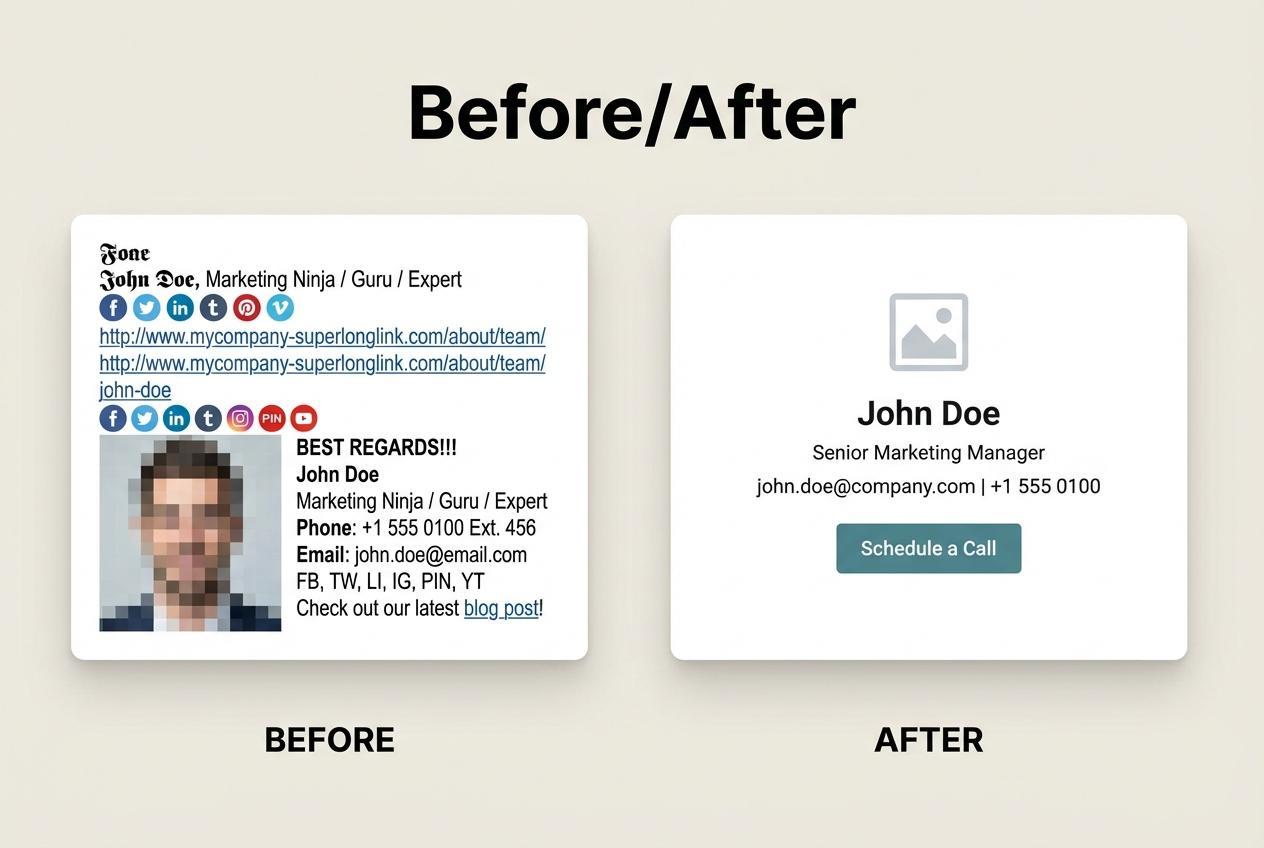
No illusions here. Signatures don’t break because “the tool is bad.”
The reasons are almost always the same: heavy images, messy layout, different email clients, dark mode, and manual setup.
A short checklist that saves weeks of back-and-forth between marketing and IT:
- Keep the logo reasonably sized (don’t upscale for “importance”)
- One main link (website or calendar) + one additional channel
- Only one banner — no animations or overload
- Test in 4 environments: Gmail web, Outlook desktop, mobile, dark mode
- If using Microsoft 365 — consider centralized rules/disclaimers via admin tools
Expert Tip:

In corporate environments, copy-paste signatures almost always lead to chaos: employees change numbers, signatures become outdated, banners linger, disclaimers disappear.
If you have more than 10–15 active mailboxes, it’s more efficient to move toward centralized management (Exclaimer / CodeTwo / Letsignit / Xink) or at least enforce a single template and guidelines.
Frequently Asked Questions
How to install a signature in Gmail and Outlook without breaking it?
Use export from a generator that supports major clients, then install via standard email settings.
For Microsoft 365 organizations, use centralized admin tools and rules.
Do you need a banner in a signature to get more leads?
Yes — but only if there is one clear action: book a call, view pricing, open a case study.
Multiple banners turn the signature into a flyer and reduce trust.
Can you use UTM tags in signatures?
Yes, but only on key links.
Tagging every icon creates messy analytics.
Why does the signature look fine in Gmail but break in Outlook?
Outlook and some desktop clients interpret HTML differently.
That’s why testing across environments and avoiding complex layouts is critical.
Corporate tools partially solve this by inserting signatures server-side.
Final Takeaway
If you need a short conclusion:
- for “fast and branded” — a generator + template discipline is enough
- for teams — without centralized management, signatures quickly fall apart
- for leads — a signature should sell quietly, with one action, without overload