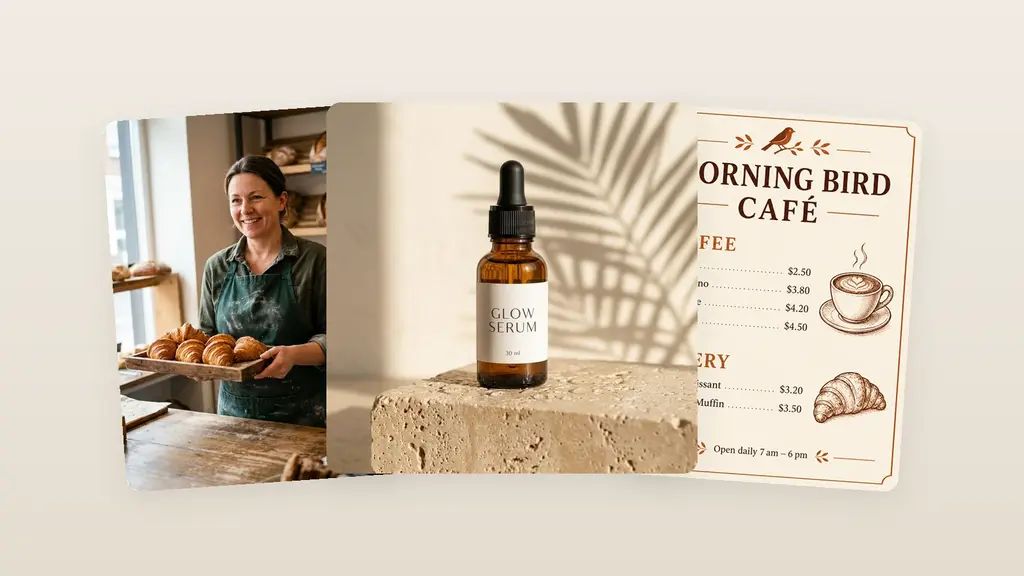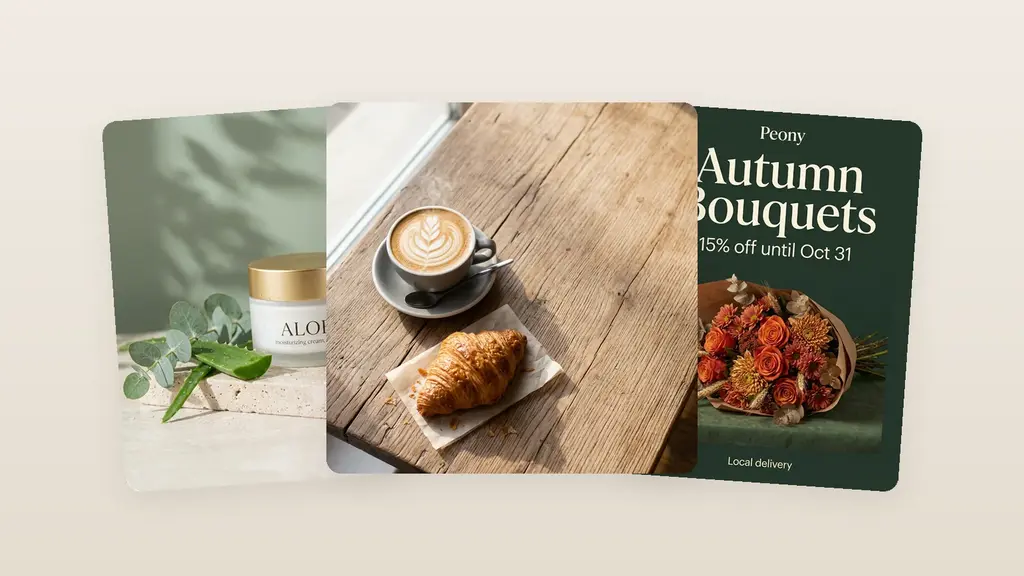
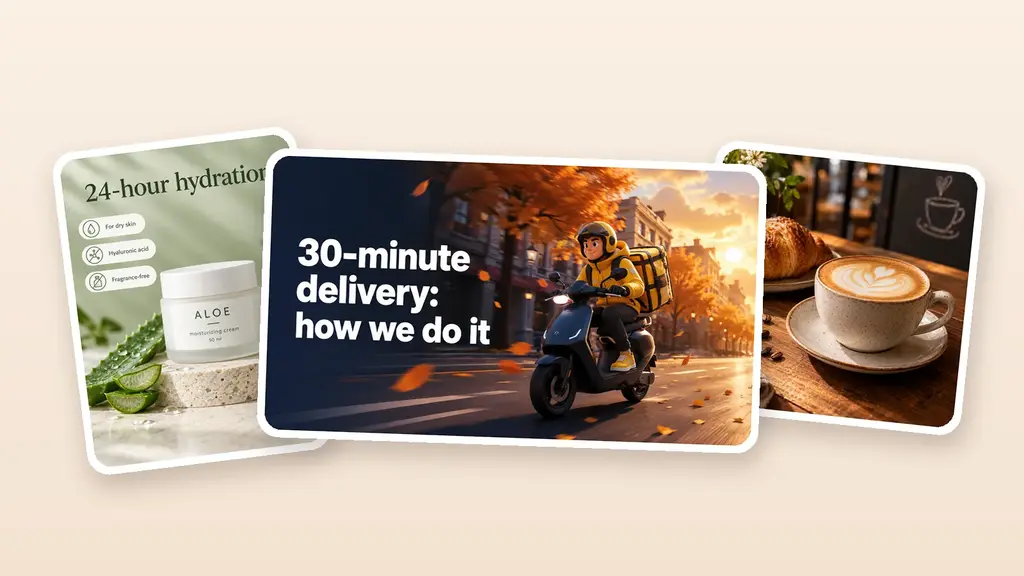
To generate images with AI, you need four steps: pick a tool, describe the image, set the format and refine the result. The description is your AI image generator prompt, and it decides almost everything. “A post for a coffee shop” gets you a nice coffee photo. A detailed prompt gets you a ready post with a headline and a price.
Below: a prompt formula, three weak vs strong prompt examples with real results, working from a reference image, and 16 prompts to copy. The before-and-after examples were made with GPT Image 2.5, the default model in Turbologo’s AI image generator.
How to generate images with AI: 4 steps
- Pick a tool. Decide what you need: just an image, or an image with your headline, logo and brand colors.
- Describe the image. What is in the frame, where, in what style, light and angle. If you need text on the image, write it exactly, in quotes or after a colon.
- Set the format. A 1:1 square for a feed post, 9:16 for a story, 16:9 for a banner or a blog cover.
- Refine the result. If the image is almost right, don’t generate it again. Type an edit: “make the background lighter”, “change the price”.
How to choose an AI image tool
- Image or design. ChatGPT and Gemini create images right in the chat. Design tools build a layout with your logo, colors and the right size around the image.
- Text on the image. If you need wording, check how the model renders letters. Short lines come out more reliably than paragraphs.
- Price. Gemini offers image generation with Nano Banana 2 without a paid plan, but Google says the limits may change without notice (October 2026). Other tools sell credits or subscriptions.
How the main models differ is covered in Nano Banana Pro vs Nano Banana 2 vs GPT Image. For Google’s models, see our Nano Banana guide.
How to write an AI image generator prompt: the formula
A good text to image AI prompt answers eight questions. The more answers it has, the less the model guesses.
| Element | What to write | Example |
|---|---|---|
| Subject | Who or what is in the frame | “a tall glass of pumpkin latte with whipped cream” |
| Action | What is happening | “a courier riding a scooter” |
| Setting | Where it happens | “on a travertine podium”, “solid terracotta background” |
| Style | Photo, flat illustration, watercolor, 3D | “flat vector illustration” |
| Light and mood | Lighting and feeling | “soft daylight from the side”, “cozy evening” |
| Angle and layout | Point of view, what goes where | “top-down view”, “product on the right, space for text on the left” |
| Format | Aspect ratio | “1:1 square”, “9:16 story”, “16:9 banner” |
| Text on the image | Exact words in quotes or after a colon | “Pumpkin latte is back”, “$4.50” |
A template to copy:
[Format] for [task]: [subject] [action], [setting]. Style: [style]. Light: [light]. Angle: [angle]. Text: “[wording]”.
Style prompts that work well: “photorealistic product photo”, “flat vector illustration”, “watercolor”, “isometric 3D”, “minimalist ad”, “line art”, “retro poster”.
Three more rules:
- Lead with the main thing. Format and subject first, details after.
- Say what you don’t want: “no text”, “no logos”, “no people”.
- Keep text short. A headline, a price, a date. A paragraph of small text often comes out with errors.
AI image generator examples: weak vs strong prompts
All images below were made with GPT Image 2.5 from the prompt as is, with no templates or extra instructions from a service. Left: a short prompt. Right: the same task written with the formula. Treat them as text to image AI prompt examples you can copy. The short coffee and cream prompts were run in Russian: they produce no text, so the language makes no difference. Every other prompt was run in English, as written below.
A coffee shop post
Weak prompt: “A post for a coffee shop”. The model returned a pretty photo of a cappuccino and a croissant. But it’s not a post: no offer, no price, no reason to come in.
Strong prompt:
Square 1:1 social media post for a coffee shop. In the center, a tall glass of pumpkin latte with whipped cream and cinnamon, small pumpkins and autumn leaves next to it. Background: solid warm terracotta. Soft daylight from the side, slightly top-down view. At the top, a large bold headline “Pumpkin latte is back”. At the bottom, a cream-colored badge with the price “$4.50” and the line “Until November 30”. Style: modern minimalist ad, lots of white space, text easy to read on a phone. No logos.
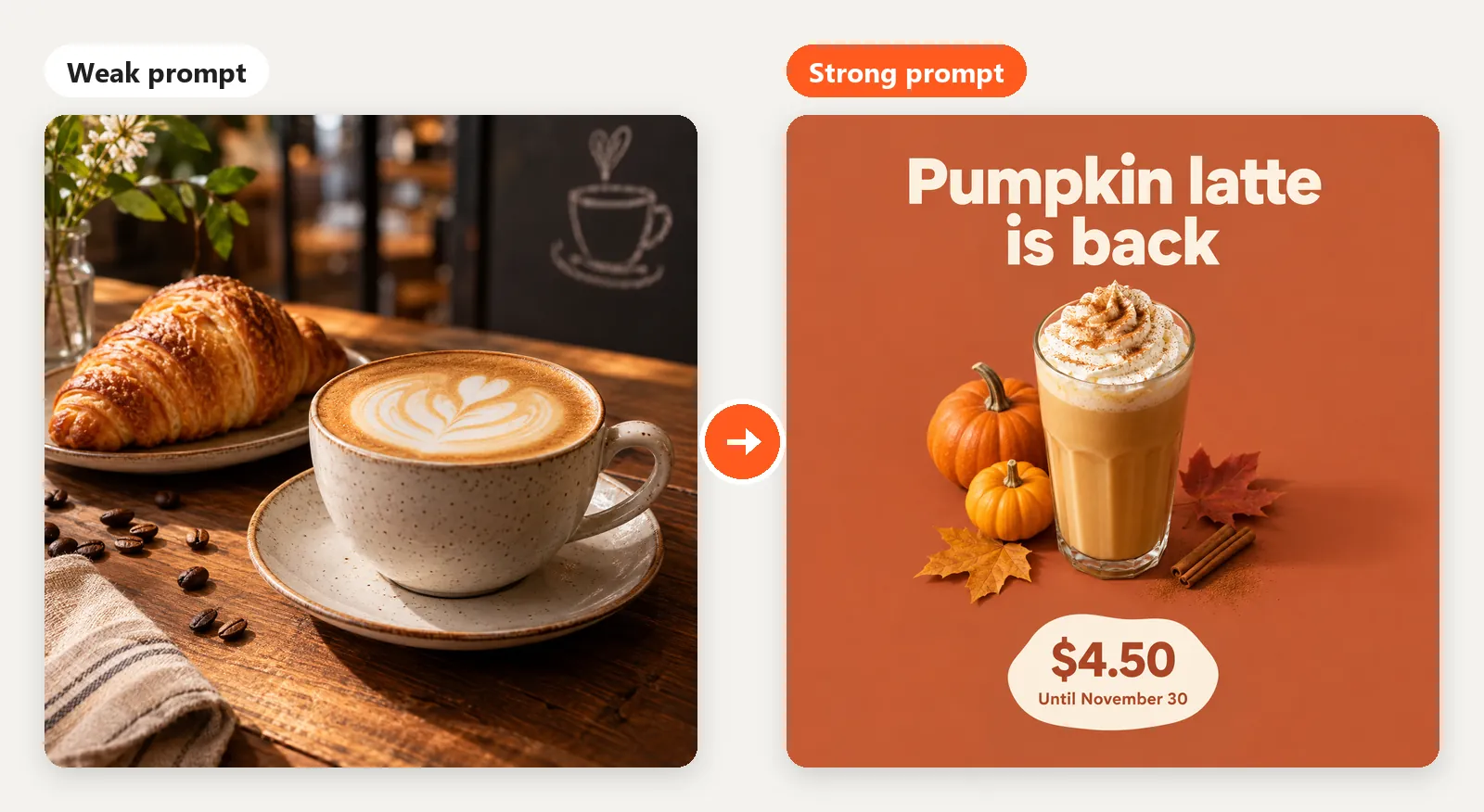
A specific product, exact wording in quotes, a background and light. All three lines came out right, but always check letters and numbers.
A marketplace product card
Weak prompt: “A photo of a face cream”. The shot is nice but random: an open jar, marble, leaves, and a product name the model made up on its own.
Strong prompt:
Marketplace product card, vertical 3:4. In the center, a jar of face cream in matte white glass with a label reading “ALOE” and below it “moisturizing cream, 50 ml”. The jar stands on a light travertine podium next to a fresh aloe leaf and water drops. Soft sage-green background, gentle daylight. At the top, a large headline “24-hour hydration”. On the left, three white tags with icons and captions: “For dry skin”, “Hyaluronic acid”, “Fragrance-free”. Bottom right, a round price badge “$12”. Clean modern style, like the best marketplace listings. Write only these texts, exactly as given.
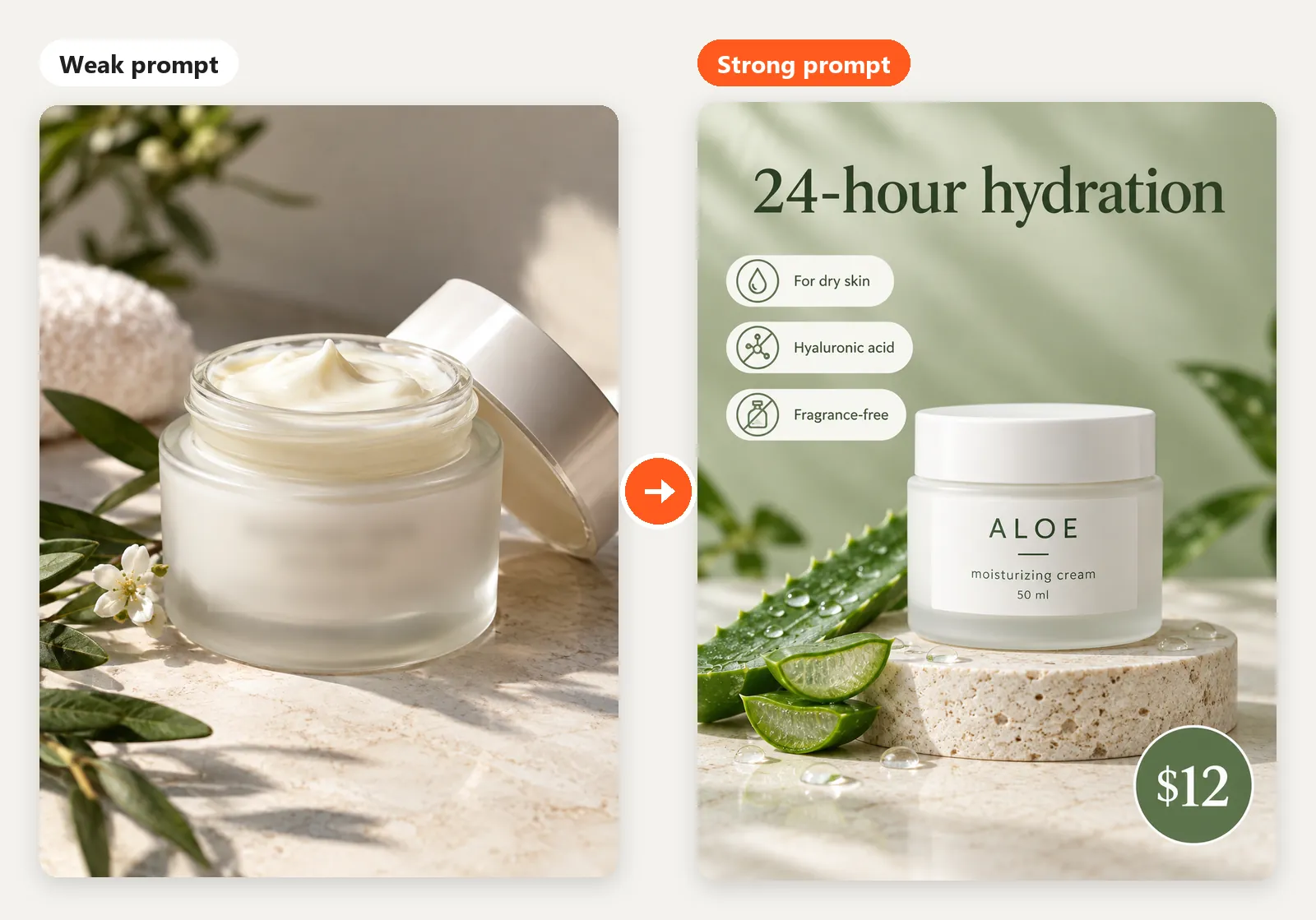
A finished product card: the product, a headline, three benefits and a price, all spelled correctly. The jar is still invented, though: to show your actual product, attach its photo as a reference.
A blog cover
Weak prompt: “An image for an article about delivery”. The model chose a photo style and added people on its own. It is a picture, not a cover: there is no headline and no clear room for one.
Strong prompt:
Blog article cover, wide 16:9, a 3D illustration in a soft cartoon style: a courier in a yellow jacket on an electric scooter with a thermal bag on his back speeds down an autumn city street, orange leaves swirling around, warm sunset light, depth and detail. Palette: warm orange, dark navy and cream. The courier is on the right, free space on the left with a large bold white headline “30-minute delivery: how we do it”. No other text.
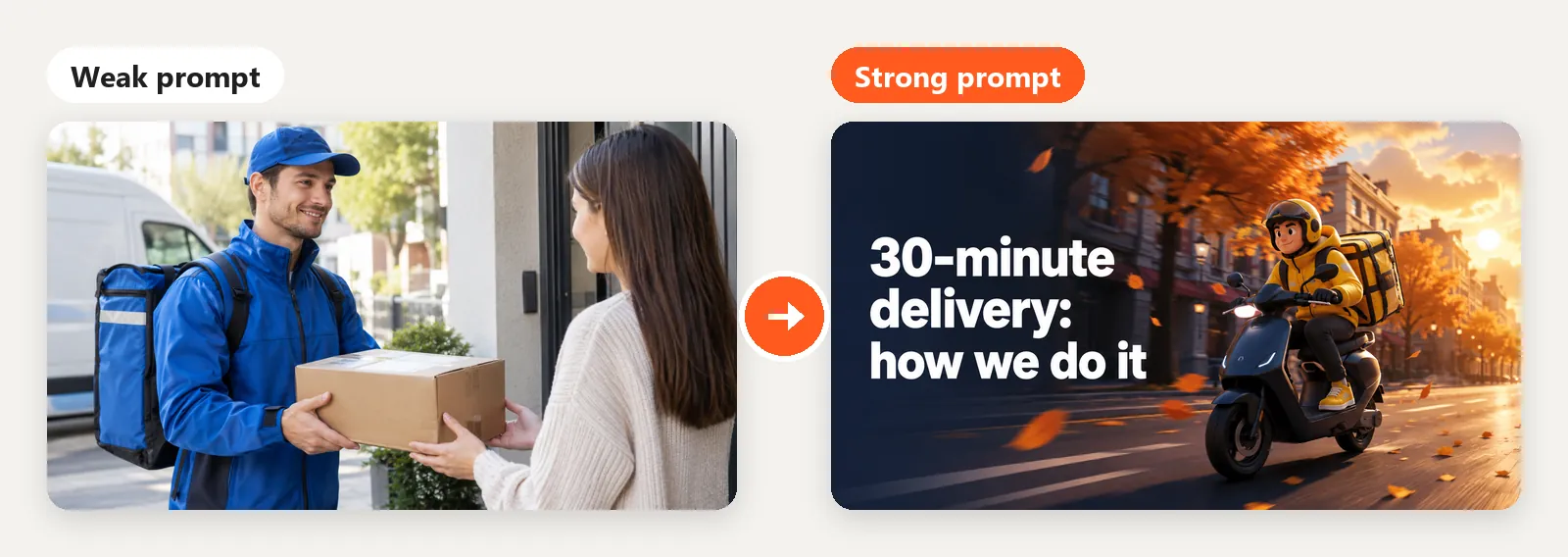
Style, palette, the hero’s position and the exact headline were set in words, so the result is a finished cover, not a random picture. Specifics beat magic words.
How to generate an image from a reference
Many generators accept a reference image: your own design, a product photo, a layout you like. Say what to keep from it and what to change. Our prompt (translated from Russian):
Make a new post based on the attached reference: keep the layout, the palette (deep blue and cream), the typography and the overall feel. Change the subject: at the top, a cup of matcha latte with latte art, shot straight from above on a blue background. At the bottom, on cream, a large headline “(MATCHA)” and below it a handwritten line “with coconut milk”. Don’t add small text, dates or logos. Square 1:1.
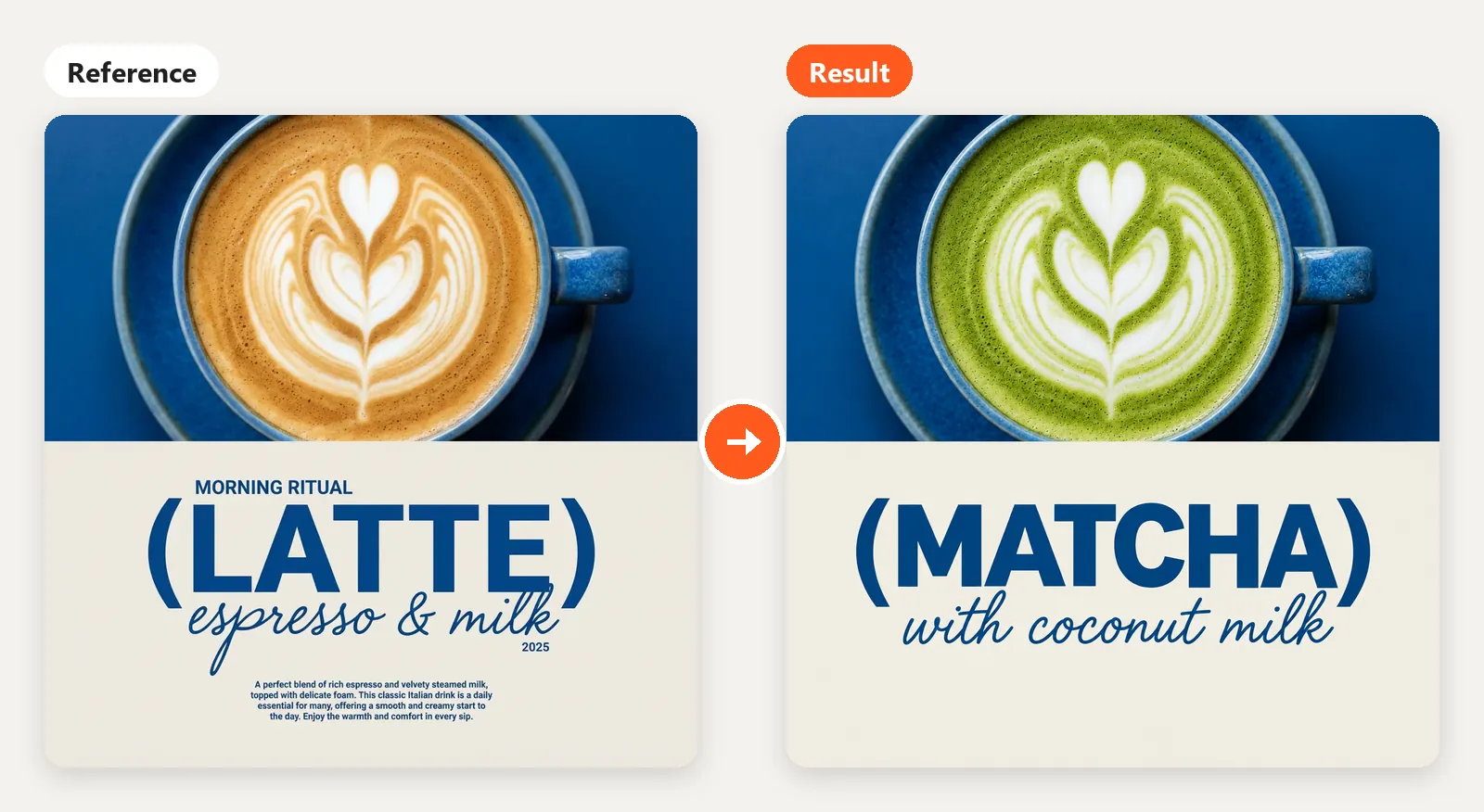
The layout and palette stayed, the subject and wording changed, and the small text was dropped as requested.
- Your product. Attach its photo and describe the scene: “put this bottle on a wooden table by a window”.
- A person. For an AI photoshoot, use your own photo or one of someone who agreed to it. On Turbologo, attach a photo with the face clearly visible and add the word “photoshoot” to the prompt. The AI tries to keep the facial features, but likeness isn’t guaranteed.
- An image you like. Don’t copy it: describe it with the formula, or ask an AI chat that understands images to describe it for you.
Don’t use other brands’ logos or celebrities’ faces as references: it infringes other people’s rights and breaks the rules of most services.
Edit in plain words instead of regenerating
Every new generation is a gamble: a good background can disappear and a new mistake can show up. If an image is 80% right, edit it: “change the price to $5”, “make the background lighter”, “fix ‘cofee’ to ‘coffee’”, “turn it into a 9:16 story”.
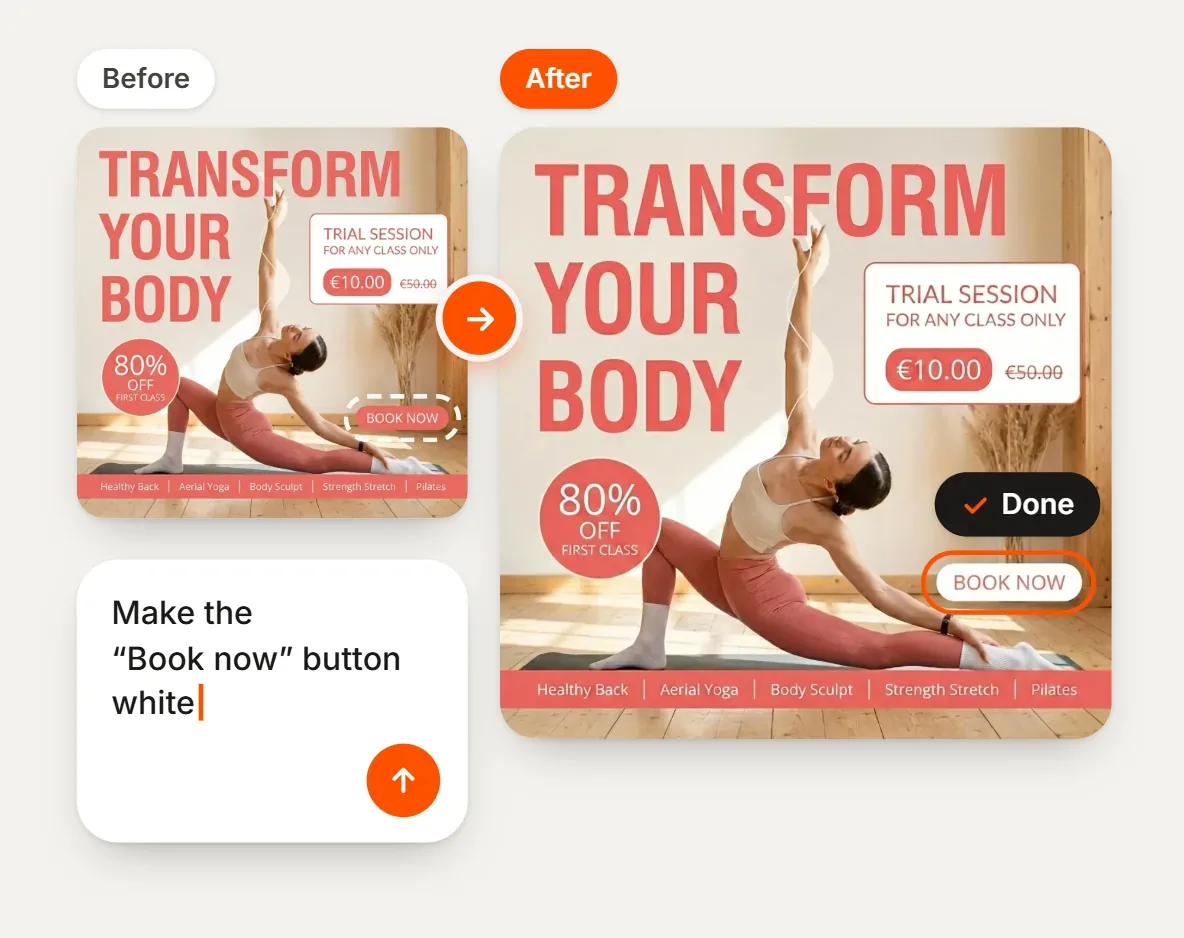
In Turbologo, an edit can change the text or colors, remove the background, change the format or make any other change you describe. Each edit uses credits, so write it as precisely as a prompt.
When you need a design, not just an image
An image generator gives you a picture. A post or a banner also needs a headline, a price, a logo, your colors and the right size. You can add all that by hand in a graphics editor, or generate a finished layout with Turbologo’s AI design generator.
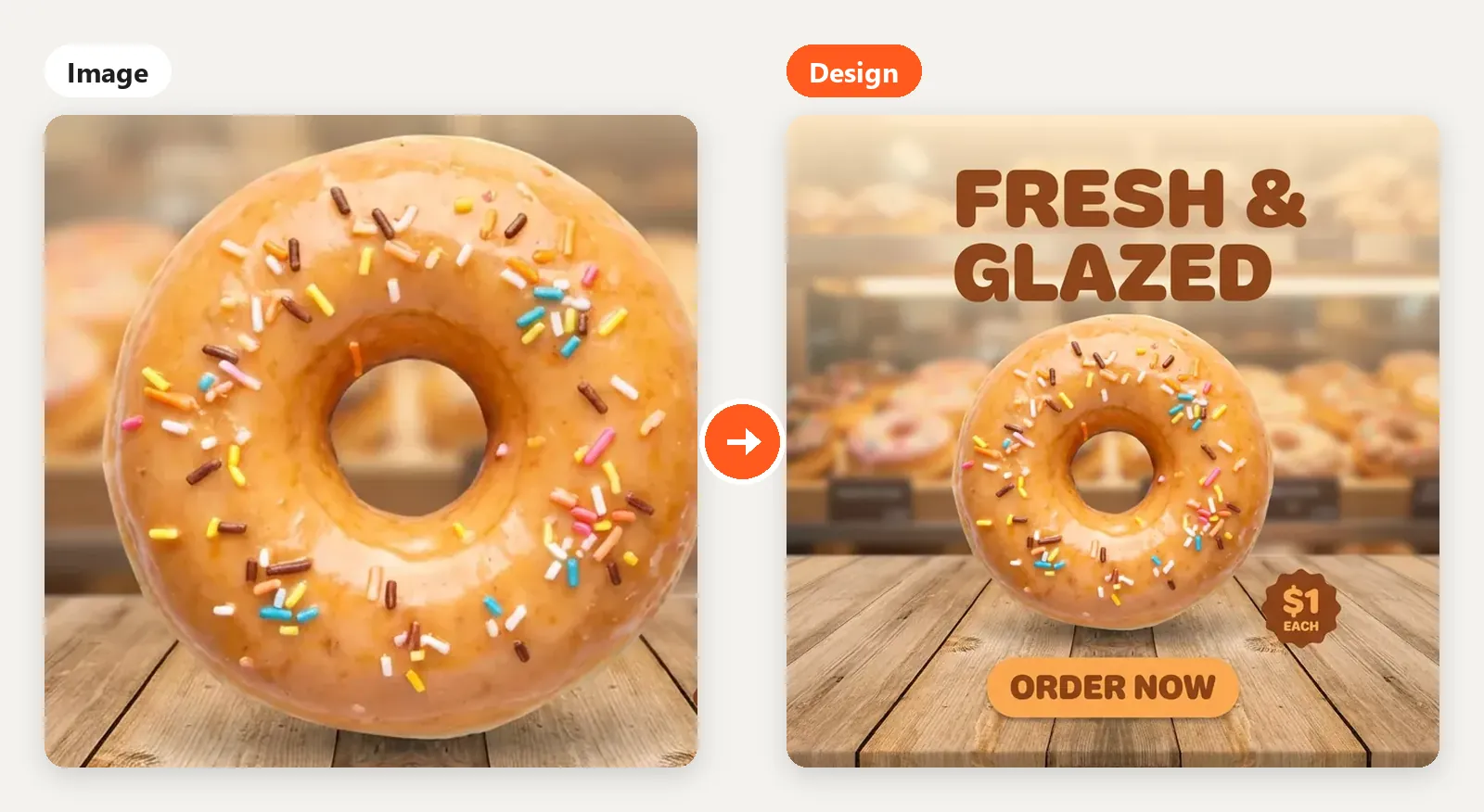
- Logo. Upload it and the AI places it on the layout.
- Brand Kit. Turn it on and your colors, fonts and contacts go into the design.
- Designer templates. The generator can use a matching template from the catalog as a base.
The honest downside: the result is an image, not a layered file. You can’t drag the text with a mouse; everything changes through edits in plain words. Check letters and numbers, and fix any typo with an edit.
How to generate an image in Turbologo, step by step
- Open the generator and sign in. You can’t generate as a guest. In most countries, your first generation is free after you sign up.
- Describe the task with the formula. Put the wording in quotes.
- Add your logo or a reference, for example a product photo. Brand Kit adds your colors and contacts if you turn it on.
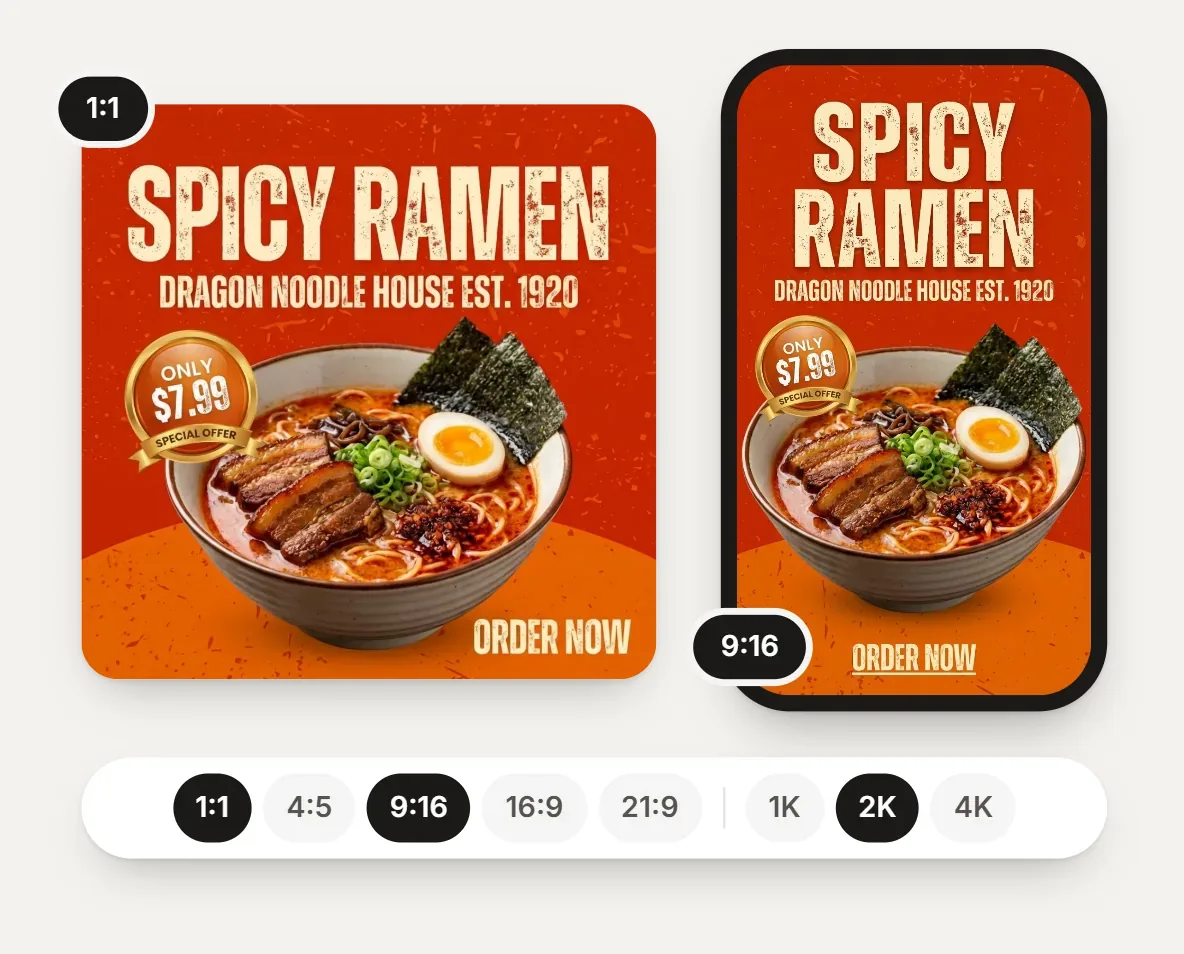
- Pick a model, format and quality. GPT Image 2.5 is the default; GPT Image 2, Nano Banana 2 and Nano Banana Pro are also available. Aspect ratios depend on the model. For print, pick 2K or 4K quality.
- Edit and download.
Common mistakes
- A prompt that’s too short. “A nice image for a sale” lets the model decide what’s nice and what the sale is.
- Contradictions. “Minimalist, lots of details”: the model picks one or mixes them.
- No format. A 1:1 image cropped for a story loses its edges.
- Regenerating instead of editing. You lose what already worked.
- Unchecked numbers. The model doesn’t know your price, date or phone number: put them in the prompt and check them on the image.
Can you generate AI images for free?
Yes, with limits. Gemini offers image generation with Nano Banana 2 without a paid plan, within limits Google says can change without notice.
On Turbologo, in most countries your first generation is free after you sign up. After that, images are paid with AI credits from one-time packs, and the credits you buy don’t expire. In a few countries, generating also requires an active Turbologo subscription. The cost depends on the model and quality (Nano Banana 2 uses fewer credits than Pro); the calculator on the AI image generator page shows the price.
Free AI image generator prompts: 16 ideas to copy
Swap in your product, colors and wording. Names and addresses are placeholders.
Social posts and stories
- Square 1:1 post for a bakery: three pistachio cream croissants on a wooden board, a cappuccino beside them. Soft morning window light, side view. Text at the top: “New: pistachio croissant”. Warm beige tones.
- Vertical 9:16 story for a flower shop: a storefront with peonies and roses, buckets of flowers by the door, a clear spring day. Large text “We’re open!” and “12 Garden St”. White, pink and green.
- Square 1:1 post for a barbershop: a comb, scissors and a straight razor on a dark background, shot from directly above. Headline “3 beard care mistakes”. Black and copper.
- 3:4 post for a coffee shop: a barista pouring milk into a cup, side view, warm light. Text “We’re hiring a barista”. Friendly style, beige and green.
Ads and promotions
- Wide 16:9 banner for a shoe store: white sneakers mid-jump on bright yellow on the right, large “30% off everything” on the left and “3 days only”. High-contrast style.
- Square 1:1 post for a stretching studio: two women laughing on a mat after class, bright studio, daylight. Text “Bring a friend: 20% off for both”.
- 3:4 poster for a kids’ party: balloons, confetti and a birthday cake on a bright background. Text “Kids’ party”, “December 28, 12 PM”, “Tickets $15”. Cartoon style.
Products
- Product photo: a handmade teal ceramic mug on a pure white background, soft shadow, slightly top-down angle. Square 1:1, no text or logos.
- A rattan lamp on a bedside table in a cozy bedroom, evening, warm lamplight, dusk outside. Realistic photo style, vertical 3:4, no text.
- Top-down view: a bowl of ramen with egg, green onion and sesame on a dark stone table, chopsticks beside it. Rich colors, square 1:1.
- Flat lay: a linen shirt, jeans, a leather belt and sneakers on light gray, soft even shadows. Minimalist, square 1:1, no text.
Illustrations and covers
- Flat 16:9 illustration: a woman at a laptop tracking expenses, coins and charts around her. Blue, mint and white. No text, space for a headline on the left.
- Isometric 3D illustration of a small warehouse with boxes and a forklift, pastel colors, white background, 16:9, no text.
- Watercolor illustration: a cup of tea with lemon and a stack of books on a windowsill, rain outside. Gentle tones, square 1:1.
Holidays and gifts
- Square 1:1 post for a beauty salon: a fir branch, gold ornaments and a perfume bottle on dark green velvet. Text “Gift cards are here”. Festive but understated.
- 16:9 gift card for a spa: soft beige background, a eucalyptus sprig, text “Gift card” and “$100”. Elegant thin serif font.
FAQ
It names the subject, action, setting, style, light, angle and format, plus the exact wording in quotes if you need text. Put the main thing first and say what you don’t want.
Some tools have free limits: Gemini offers image generation with Nano Banana 2 without a paid plan. On Turbologo, your first generation is free after sign-up in most countries; after that, images are paid with AI credits.
Yes. Write the exact wording in your prompt, ideally in quotes. Short lines like a headline, a price or a date come out most reliably. If a word has a typo, fix it with an edit.
Attach the reference and say what to keep (layout, palette, fonts) and what to change (subject, wording). To show your own product, attach its photo.
It depends on the tool’s terms. On Turbologo, rights to paid results pass to the user, but uniqueness isn’t guaranteed: similar images can be generated for other users. Re-read the current terms before you launch an ad.