How to connect your domain to your website
Specify the domain in Site Settings → Domain, then add one A-record at your registrar: name @, value — the IP from the domain settings in Turbologo (for Russia, it is usually 176.114.88.71). Delete other A-records for the domain. Changes take effect within 3–24 hours. A custom domain can only be connected to a website on a paid plan (“Site Pro”).
If you do not have a domain, you can buy one directly in Turbologo → How to buy a domain for a website
Step 1 - Specify the domain in site settings
Go to Site Settings → Domain and enter your domain. Save the changes.
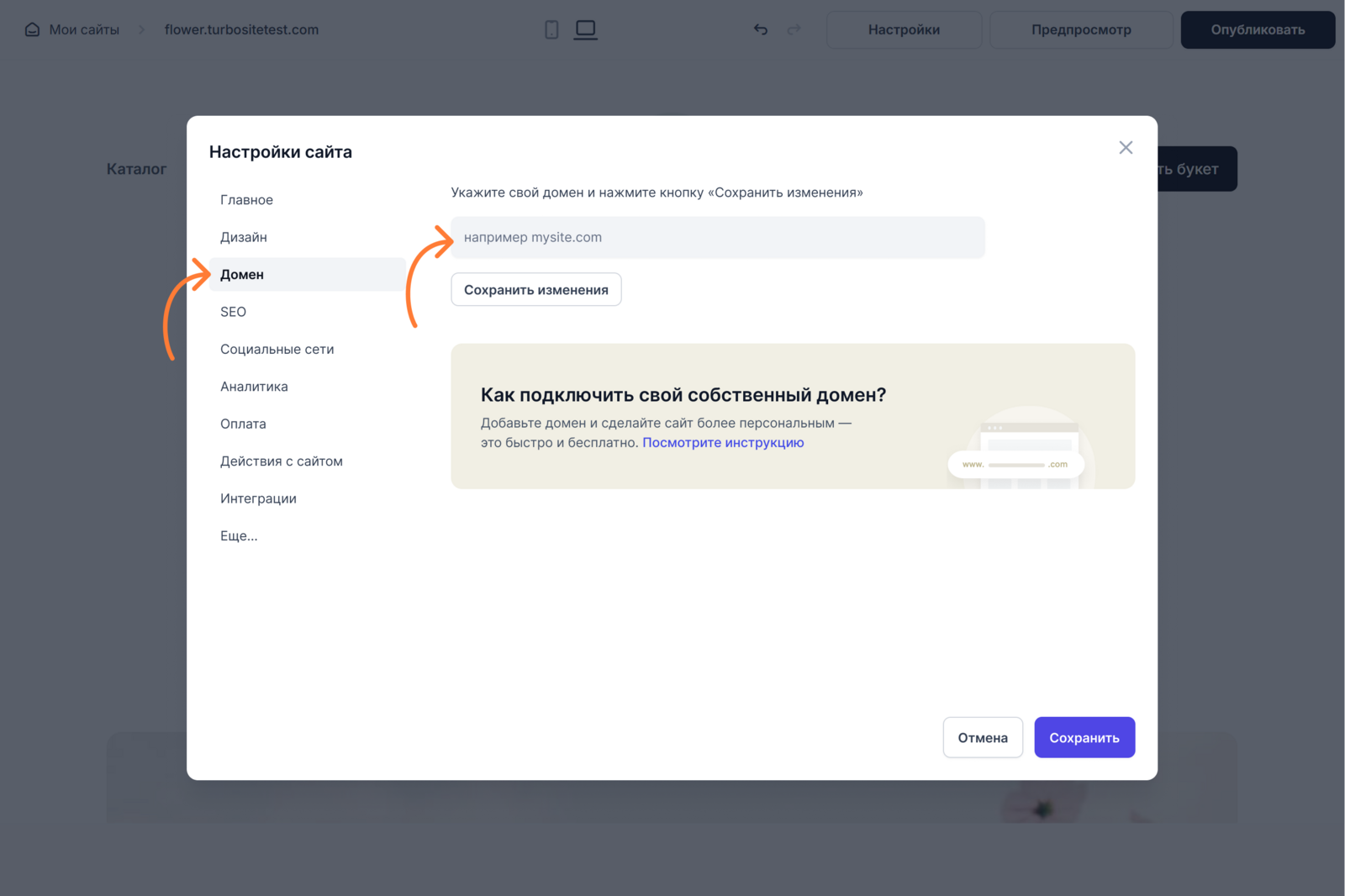
If the domain is not yet connected, a message will appear with the IP address of the A-records that need to be added according to the instructions below.

If you have already followed the instructions below, it is highly likely that the DNS is still updating; this can take up to 24 hours.
Step 2 - Specify A-records for the domain on the registrar’s website
You need to add an A-record for your primary domain. You can do this in your domain control panel (usually called “DNS Zone Management”).
For a primary domain, for example: mysite.com
- Log in to your personal account at your registrar (e.g., REG.RU, GoDaddy, etc.)
- Open the domain management section. This is usually called “Domains”, “DNS”, “DNS Management”, or “DNS Records”.
- Find your domain and open the DNS settings.
Add a new A-record
- Enter the domain name without www, for example “mycompany.com”
- Type: A
- Name: @
- Value (IP address) — the IP shown in the domain settings in Turbologo (for Russia, it is usually 176.114.88.71)

Use the IP address from the domain settings in Turbologo. The address 23.111.106.77 no longer works — if it is specified for your domain, replace it. The address 37.252.23.222 is old but still works; you do not need to change it.
If you have other A-records for the primary domain, delete them. There can only be one A-record for the domain, otherwise, the domain will not work.
All changes can take from 3 to 24 hours.
When the records are updated, a message will appear in the site settings stating that the domain is connected. After publishing, the site will be available via the link — you will be able to view it yourself and share it with others.

Instructions for popular registrars:
Russian registrars
REG.RU
- Log in to your personal account, open the “Domains” section.
- Select the required domain → “DNS servers and zone management” tab.
- Click “Edit DNS zone” and add an A-record. Instructions from REG.RU
RU-CENTER
- Log in to your personal account and select “DNS hosting”.
- Select the required domain and click “DNS Zone Management”.
- Add an A-type record. Instructions from RU-CENTER
Timeweb
- Go to the control panel → Go to the “Domains” section → “My domains”.
- Select the domain → “DNS Editor” tab.
- Add an A-type record. Instructions from Timeweb
Beget
- Go to the “Domains and subdomains” section, select the domain.
- Select the required domain and click “Edit DNS servers”.
- Add an A-record with the IP address. Instructions from Beget
International registrars
GoDaddy
- In your personal account, select the domain → “DNS”.
- In the “Records” block, click “Add”.
- Specify type A, name — @, and the IP address. Detailed instructions for GoDaddy Instructions from GoDaddy
Namecheap
- Go to the control panel → Domain List → select the domain.
- Go to the “Advanced DNS” tab.
- Add an A-record with the name @ and the IP address. Instructions from Namecheap
Google Domains
- Select the domain → “DNS” tab.
- In the “Custom records” section, click “Add record”.
- Specify type A, name @, and the IP address. Instructions from Google Domains
Cloudflare
- Log in to your account, select the required site → “DNS” tab.
- Click “Add record”, select type A.
- Specify @ and the required IP. Instructions from Cloudflare
If the site does not open
Check the A-record, plan expiration, and site publication → Site does not open: what to check. For .ru and .рф domains purchased in Turbologo, confirmation on GosUslugi is required → How to confirm a domain on GosUslugi