Publishing a website
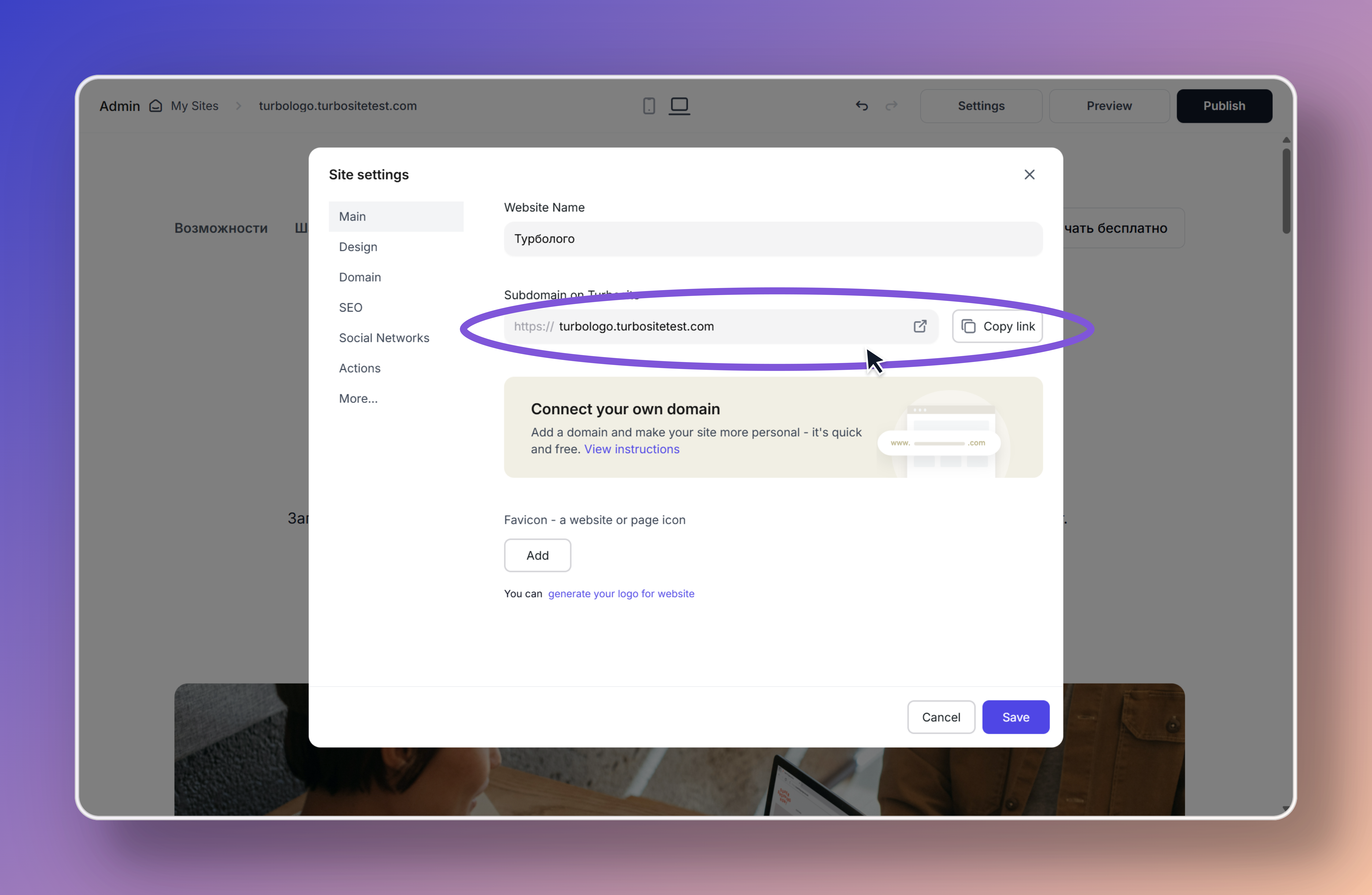
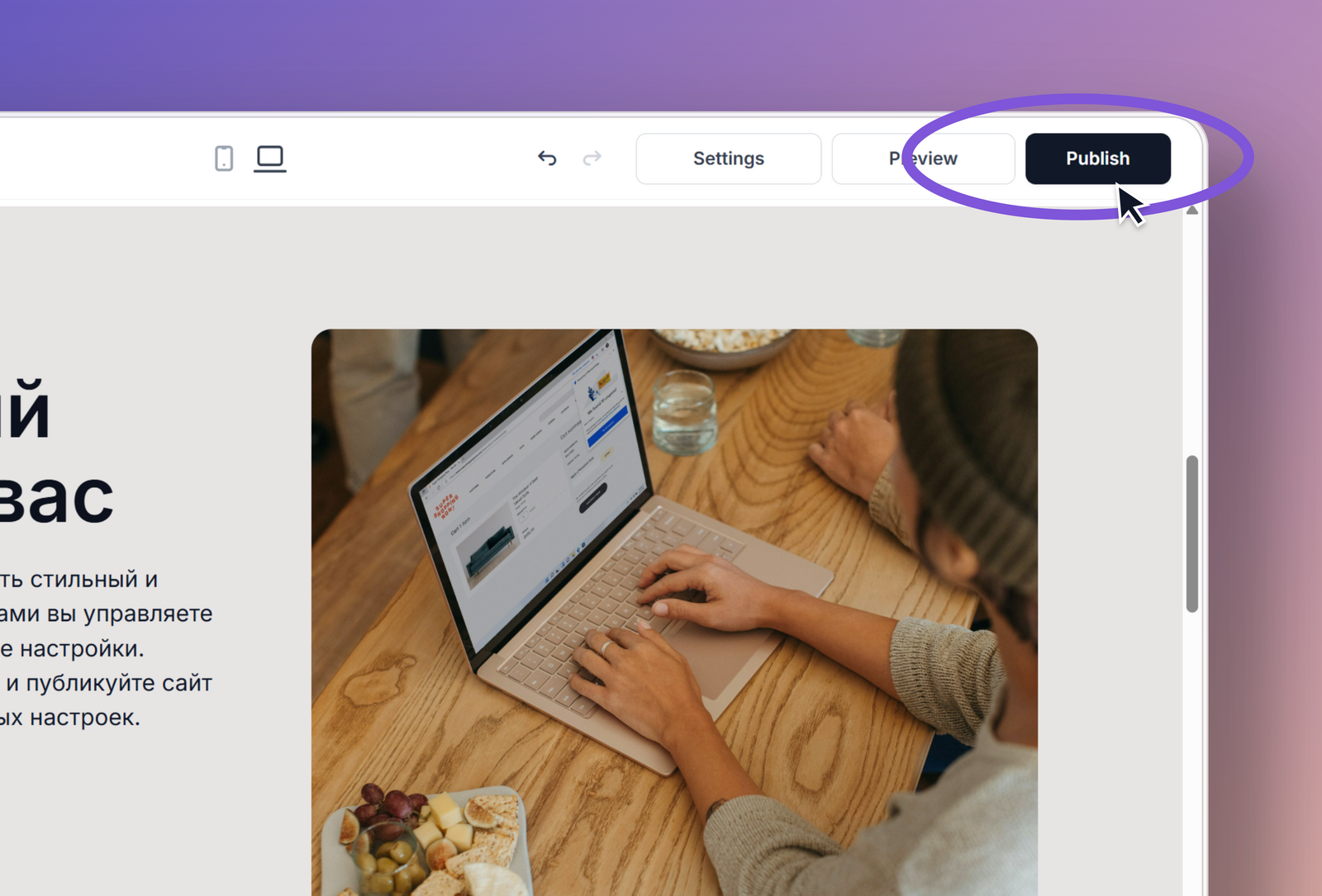
To publish a website, click “Publish” in the top right corner of the website editor or in the website dashboard. The link to the published website can be found in Site Settings → General. After each change to the pages, the website must be published again, otherwise visitors will see the previous version (settings such as SEO descriptions, code, and design update on the site automatically).
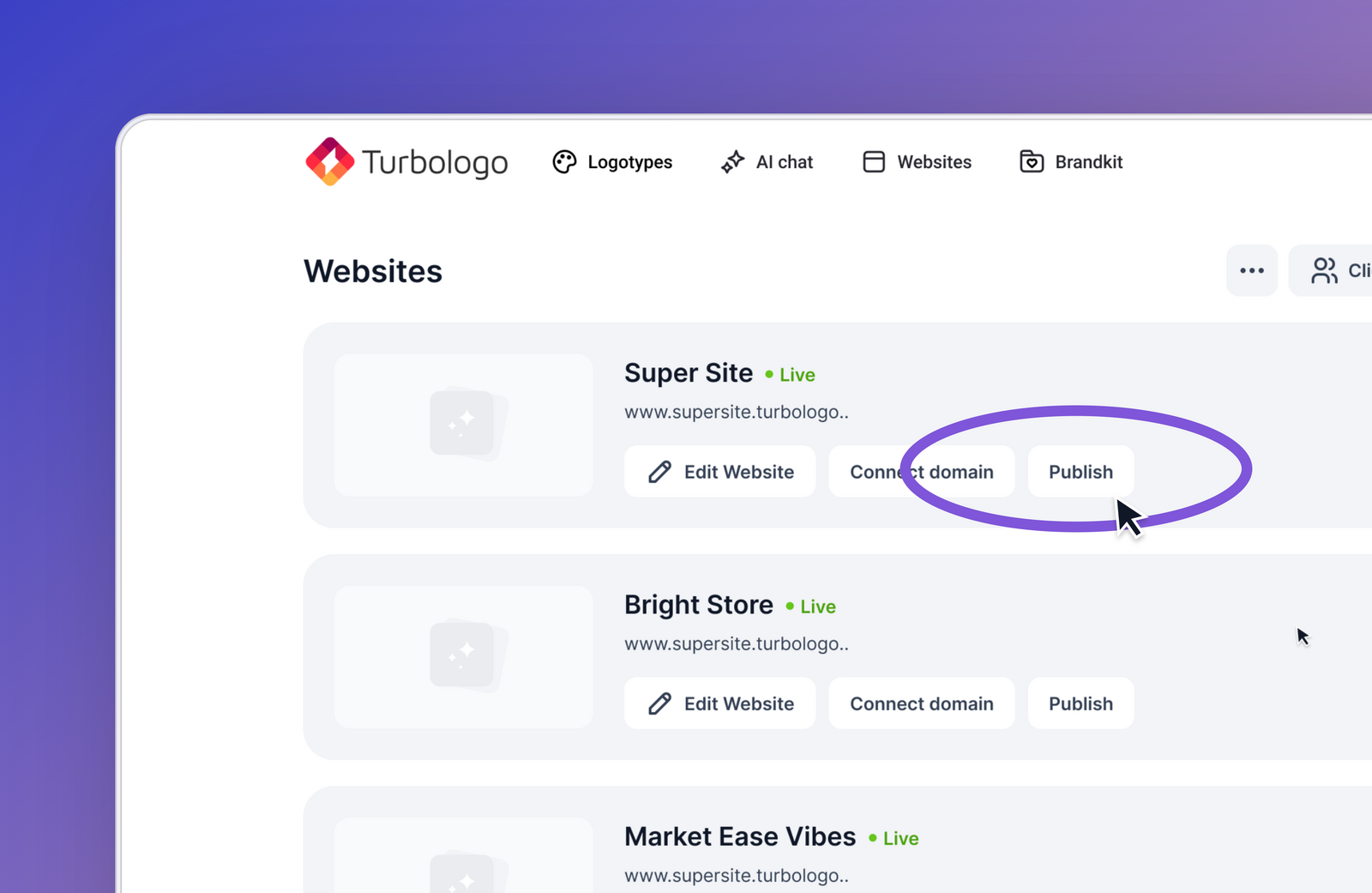
How to publish a website?
In the website dashboard, click “Publish” or click “Publish” in the top right corner of the website editor. After publishing, you can follow the link to view the updated website.
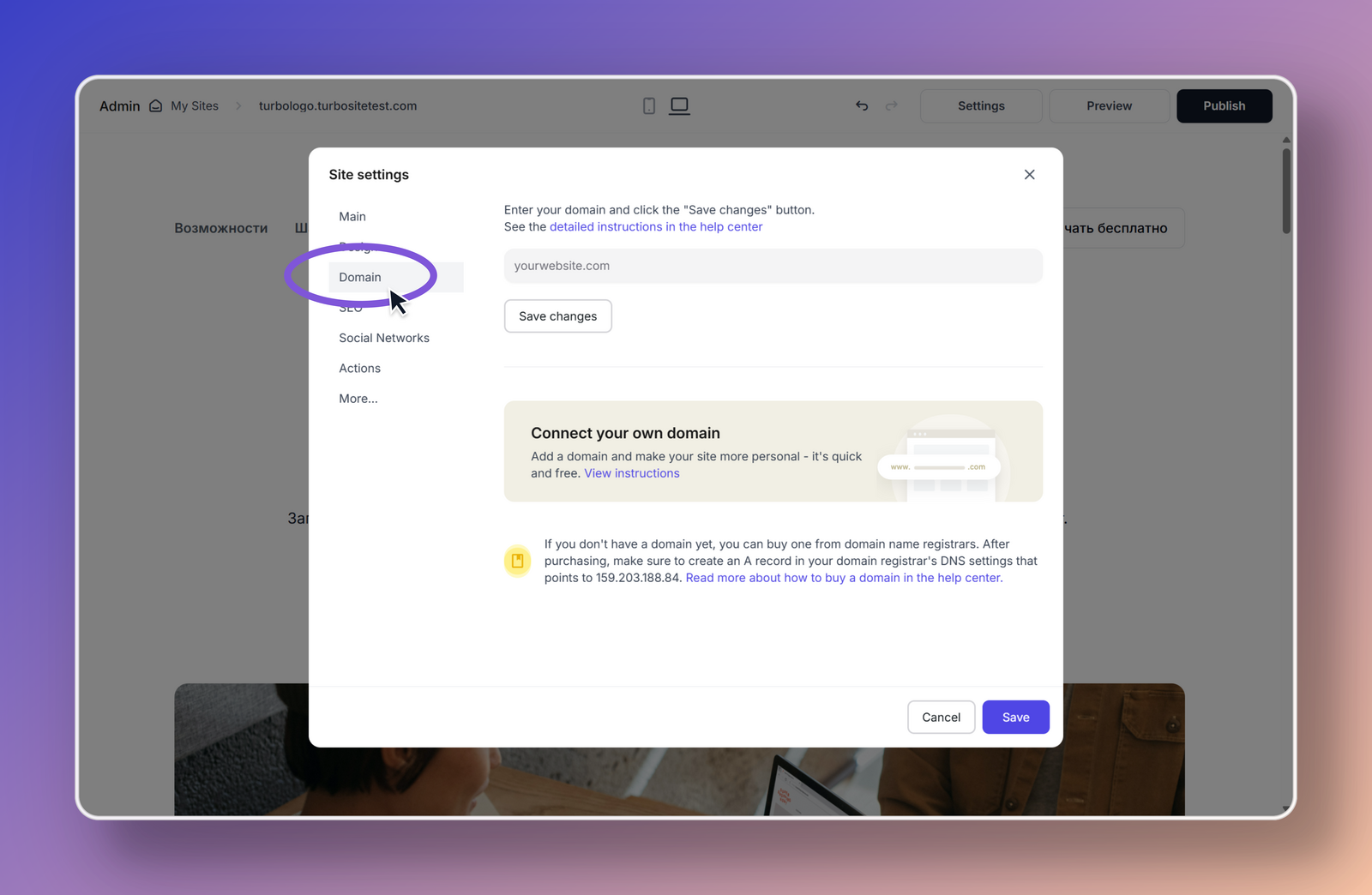
How to connect your own domain?
- Go to Site Settings.
- Open the Domain section.
- Connect your domain.
Detailed instructions → How to connect your own domain to a website
Is a domain available on the free plan?
On the free plan, you cannot connect a custom domain — the website opens on a Turbologo subdomain. A free website is published for 14 days. → Pricing plans for websites
Where to find the link to the published website
- Go to Site Settings.
- Open the General section.
- In this section, you will always find the link to your published website.