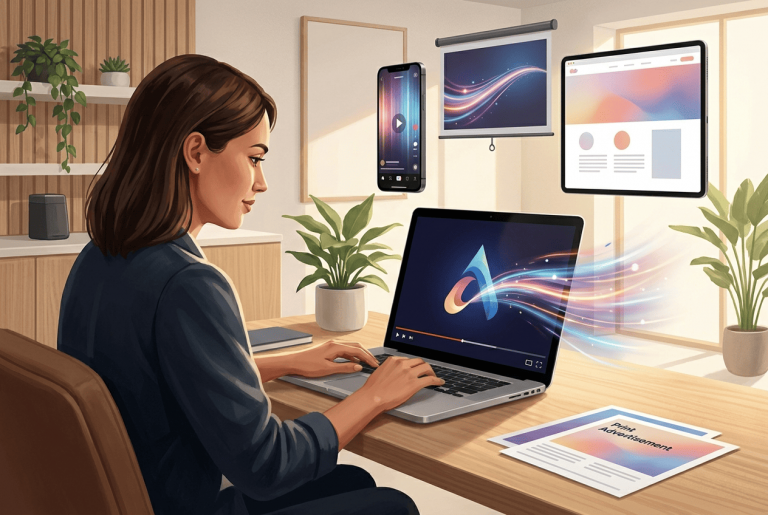
I’m Ilya Lavrov, a designer and AI specialist. I keep seeing the same situation: a business already has a logo, but it only lives on an avatar, a website, or a business card. For static media, that’s enough. But the moment a brand moves into social media, advertising, presentations, or video, a plain image is no longer enough. A logo needs motion – not for the effect, but for attention, recognition, and a more cohesive brand presentation.
In this article I’ll break down how to turn a logo into video, why a small business needs an animated mark, and where that animation works best. No talk about the magic of neural networks. Just practice: what to do, what not to do, and how to get a clip that looks like part of the brand rather than a random effect from an editor.
According to Wyzowl, in 2026 91% of companies use video as a marketing tool. HubSpot also notes that short videos remain one of the main formats marketers plan to invest in during 2026. For a small business, this isn’t an abstract trend. It’s a signal: static cards and ordinary banners are no longer enough if a brand wants to stay visible in the feed, on its website, and in advertising.
Table of Contents
Why a static format no longer fits your logo
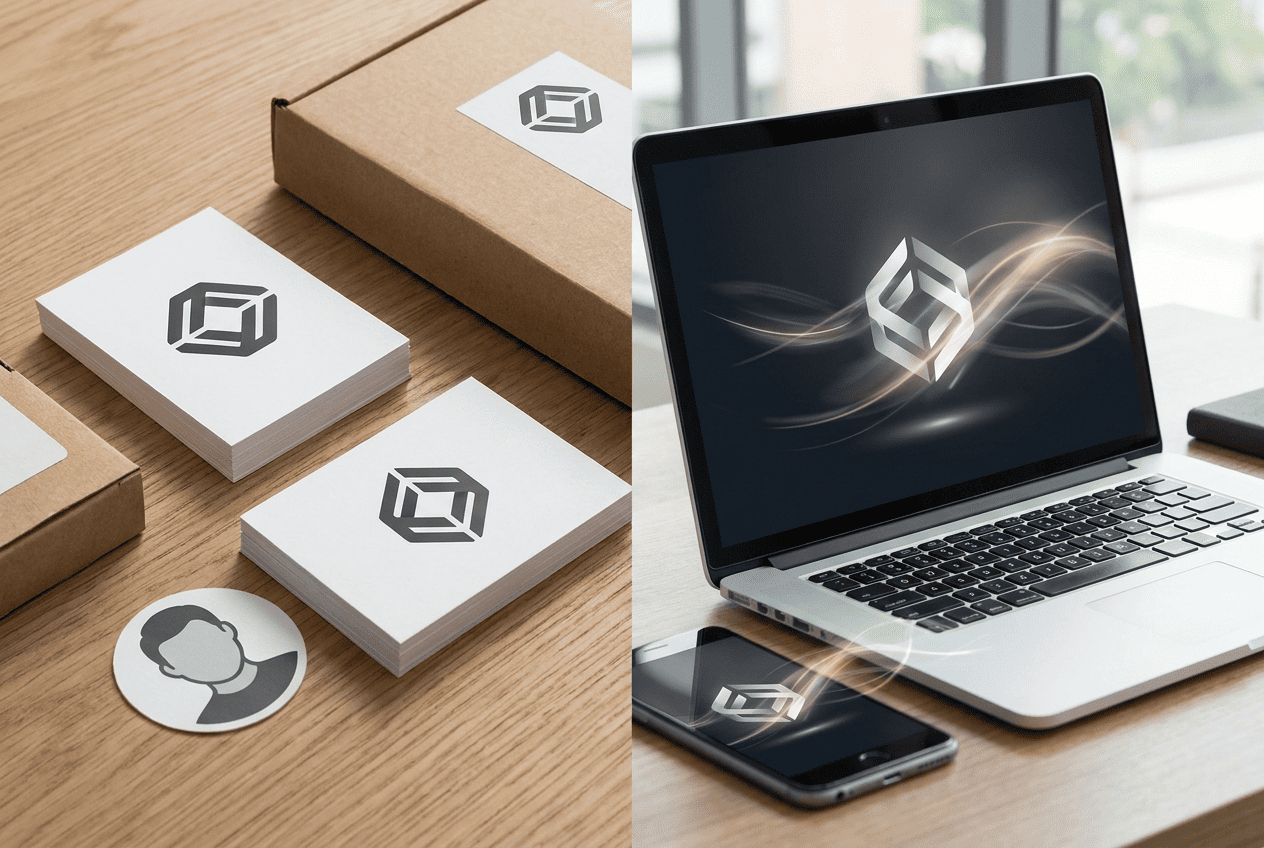
A logo used to live on a sign, a business card, packaging, an invoice, and a website. There, one version was enough: color, black, white, sometimes horizontal. The designer prepared a set of files, the business owner was happy, everyone went their way.
Then business moved into social media. The logo became an avatar, a watermark, part of a story, a cover for a video, an element of an ad. And that’s where the problems started.
A static mark quickly gets lost in a dynamic environment. The feed moves, videos autoplay, competitors use short clips, and the logo stays just a picture. It doesn’t grab attention. It doesn’t set the rhythm. It doesn’t help start a video. It’s just there.
And here a simple idea appears: a logo needs a video version.
Not instead of the regular logo. Not to “play with effects.” But so the brand works in the channels where people are already used to watching rather than reading.
Turbologo has long had tools for creating a logo, brand colors, fonts, business cards, banners, and other media. So launching an AI video generator was a logical next step. Once a business owner has assembled the brand’s visual foundation on Turbologo, the next question isn’t “what else should I draw,” but “how do I make this style work in video.”
What is a logo video
A logo video is a short clip where the brand mark appears, moves, assembles from elements, emerges on a background, enters a scene, or becomes part of an advertising message.
In professional circles you’ll hear different names: logo reveal, logo animation, video splash screen, intro, branded video. A business owner doesn’t have to remember every term. What matters is something else: the logo stops being a still image and starts doing a job in a specific format.
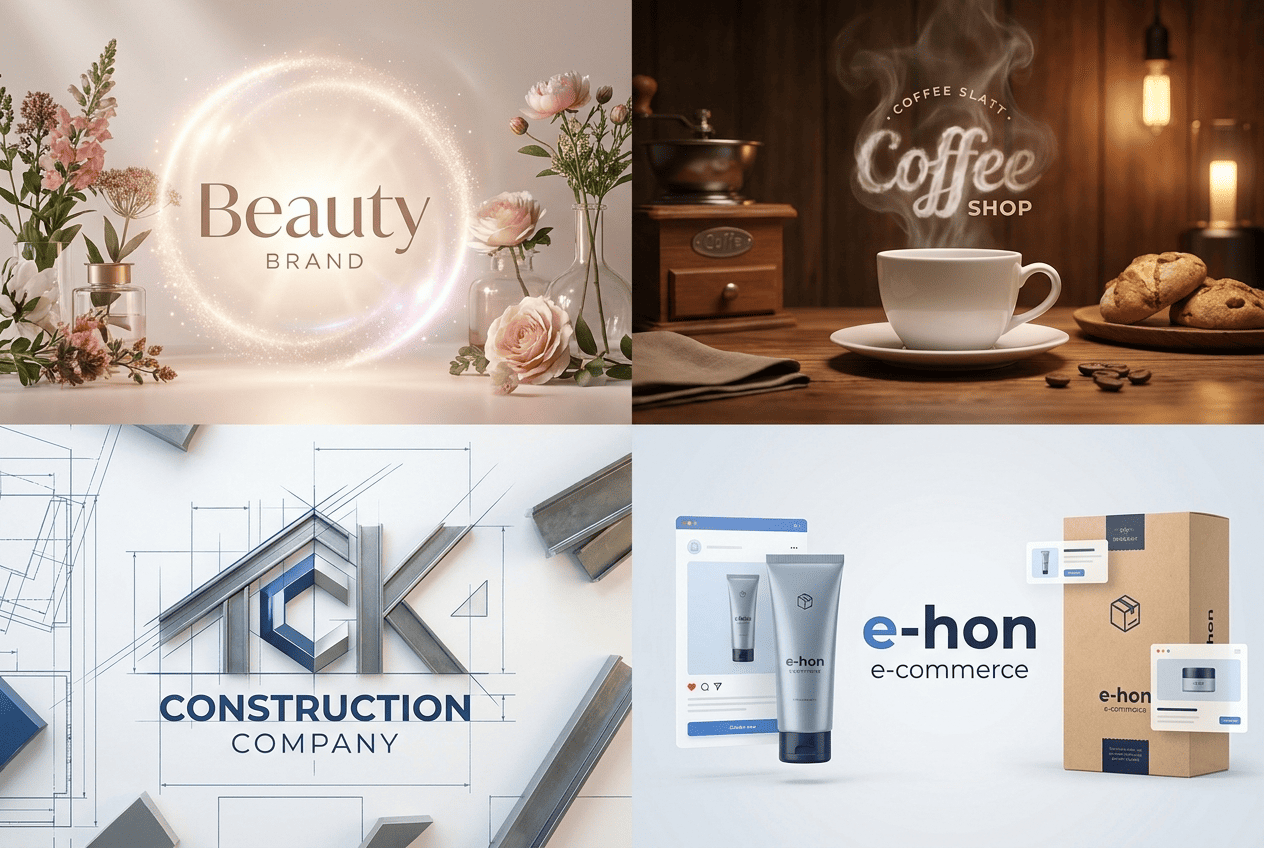
For a coffee shop it might be a logo that appears in a cloud of steam over a cup. For a construction company – a mark assembled from the lines of a blueprint. For a beauty salon – a soft appearance of the logo against light, the texture of hair or cosmetics. For an online store – a short clip where the logo appears next to a product and an offer.
Good animation shouldn’t shout. It should continue the character of the brand.
This is where many go wrong. They open the first editor, pick fire, flashes, spinning, a 3D slam, shine, smoke. The result is a clip that technically moves but has almost nothing to do with the brand. A nail salon’s logo starts flying in like the opening of an action movie. A law firm’s logo pulses in neon. A children’s store’s logo suddenly gets a metallic 3D effect. And that’s it – trust drops.
Expert tip: before choosing an effect, ask one question: “Would this brand move this way if it were a person?” A children’s brand doesn’t have to jump into frame with a dozen flashes. A premium service shouldn’t fly in to an aggressive sound. Motion is also part of character.
Why a small business needs an animated logo
The main mistake is thinking that logo animation is only for big companies. As if they have the budgets, the clips, the agencies, the YouTube channels, the investor presentations – and a small business can make do with a picture.
In my experience, a small business’s need is even sharper. Big brands are recognized without animation. A small brand has to explain itself faster. In a couple of seconds. Sometimes in the very first frame.
An animated logo solves several tasks.
First, it helps start a video. A business owner often has a product, a photo, a promotion, a review, a short message. But no proper entry into the clip. An animated mark fills that gap: the video starts not with a chaotic frame, but with the brand.
Second, it pulls content into a single system. When every clip has a similar logo appearance, color, rhythm, and splash screen, the brand starts to look more cohesive. This matters especially for those who run their social media themselves and create content at different times, in different moods, and with different tools.
Third, a video with a logo raises the sense of tidiness. Not “expensiveness,” not “premium feel,” but specifically composure. People see that the business didn’t just upload a random picture, but thought about presentation.
Fourth, an animated logo saves time. One short clip is used in Reels, Shorts, VK Clips, a presentation, an ad, on a website, in the intro to a product review. Not everywhere without adaptation, of course. But the base is the same.
If the logo isn’t ready yet or looks outdated, it’s better to start with the basics. Figure out how to create a logo with AI, pick colors, fonts, a mark, and only then translate it into motion. Animation doesn’t save a weak mark. It only makes its weakness more noticeable.
Where to use a logo video
An animated logo has no single “right” place. It’s useful wherever the brand appears in motion. And here it’s better to think not in terms of “make a pretty splash screen,” but in terms of business tasks.
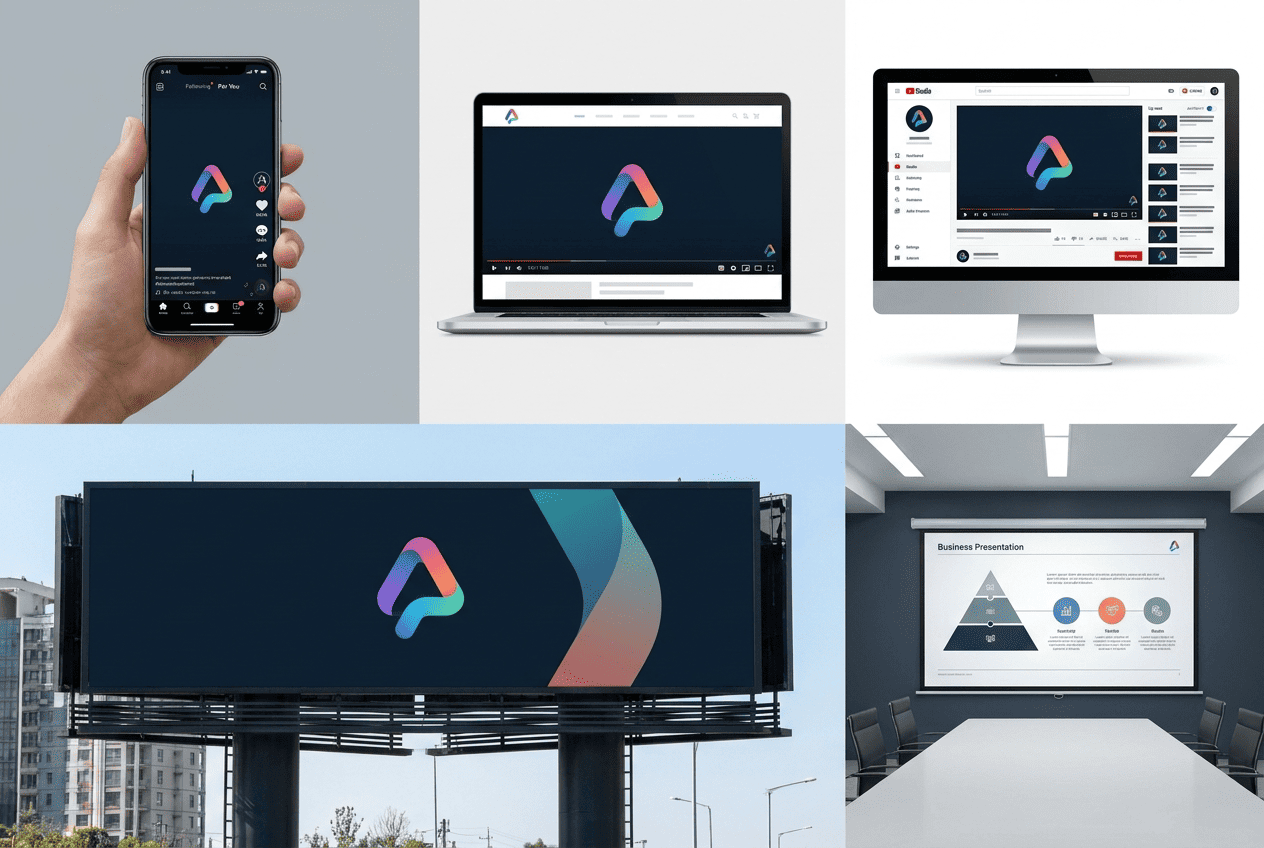
| Channel | How to use the logo in video | What it gives the business |
|---|---|---|
| Social media | Splash screen, final frame, short branded transition | Content looks unified |
| YouTube | Intro for reviews, tutorials, interviews | The channel is remembered faster |
| Website | Video in the hero section or in the about block | The brand looks alive |
| Presentations | Opening slide, transition between sections | The material feels cohesive |
| Advertising | A short logo appearance at the start or end | The brand sticks in memory |
| Corporate videos | Splash screen for training, reports, events | Internal materials look tidier |
For YouTube, the logo matters especially. An intro shouldn’t run 12 seconds, the way people liked to do before. Two or three seconds often work better. The viewer came for the content, not for a demonstration of effects. If you want a separate breakdown of a clip’s structure, it’s worth reading our guide on how to start a YouTube channel. It’s a good reminder that an intro isn’t decoration, but the entrance into your content.
For a website the logic is different. There a video logo helps quickly show the brand’s level. Especially on landing pages, where the hero section matters. But there’s a nuance: the clip shouldn’t slow down loading or get in the way of reading. Video for the sake of video quickly becomes annoying.
For presentations, an animated logo works like a frame. It sets the beginning, closes the talk, separates meaningful blocks. This is no small thing. When an entrepreneur presents a franchise, a new product, or a commercial proposal, such a detail adds a sense of preparedness.
Why it used to be expensive and slow
The classic scheme looked like this: first you need a logo in the right format. Then a designer or motion designer. Then a brief. Then a motion script. Then revisions. Then export for different platforms. If you need vertical, square, and horizontal versions, the work expands.
For a mid-size brand that’s fine. For a small business it’s often overkill.
Not because motion designers aren’t needed. They are. Especially when it comes to a big launch, TV advertising, complex 3D graphics, or a campaign with several media. But when a beauty salon needs a clip for stories, a coffee shop – a short splash screen, and an online store – a product promo, full production often doesn’t add up in budget and timing.
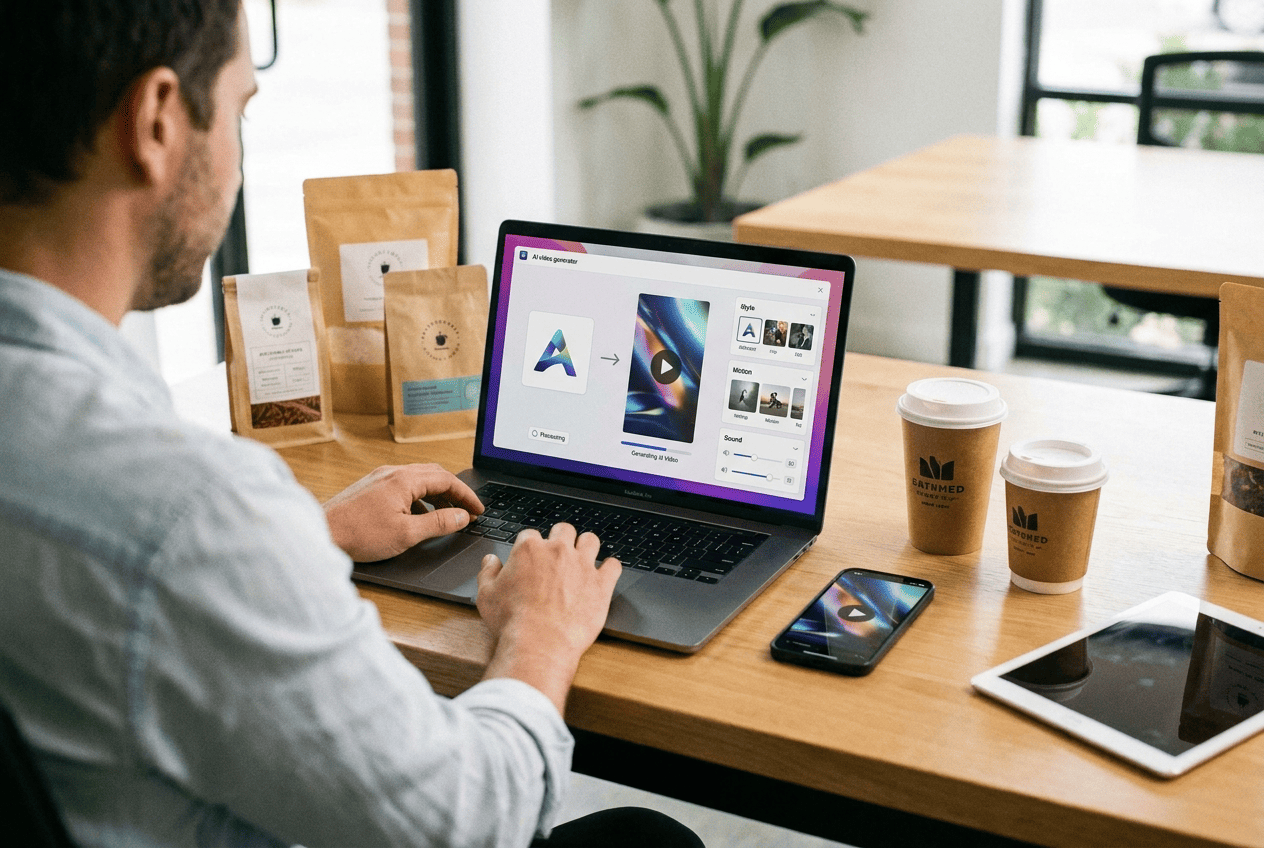
An AI video generator changes the barrier to entry. An entrepreneur doesn’t need to learn After Effects. Doesn’t need to set up lighting. Doesn’t need to film the product on camera if the task can be solved with a photo and a text description. A logo, an idea, and an understanding of the result you need are enough.
There’s an important caveat here. AI doesn’t cancel taste. It speeds up production, but it doesn’t decide for the business which style suits the brand. If chaos is at the core, AI will quickly make beautiful chaos.
How AI is changing the creation of branded videos
An AI video generator is useful not because “the neural network will do everything itself.” That phrase sounds nice, but it breaks down quickly in practice. The usefulness is elsewhere: AI shortens the path from idea to first draft.
Before, an entrepreneur would think: “I need a clip for a promotion.” Then a chain began: find a specialist, explain the task, wait for a mockup, give revisions, wait again. Now the first version appears faster. You can already evaluate it: does the style fit, is the logo readable, is there too much motion, is there a connection to the product.
The scenario looks like this. There’s a bakery’s logo. You need a video for a morning promotion. In the prompt you describe the scene: warm light, fresh pastries, steam, the logo appears on the packaging, and at the end a short line about breakfast. The generator assembles the clip. Then the entrepreneur changes the mood, the background, the duration, the format.
In Turbologo, the new AI Video Generator is built into the overall logic of branding. This matters. When a tool lives separately from the brand, the user drags the logo into one service, the banner into another, the video into a third. Then tries to bring everything to a single look. As a result, colors jump around, the style falls apart, and the logo is used like a sticker.
In Turbologo the task is different – to help create brand material that’s tied to the logo, color, font, and media. A separate overview already describes how the Turbologo AI Video Generator works and what tasks it handles for a business. In that article about the product side, it’s worth paying attention to one idea: video becomes part of the brand kit, not a random file on the desktop.
How to create an animated logo in Turbologo
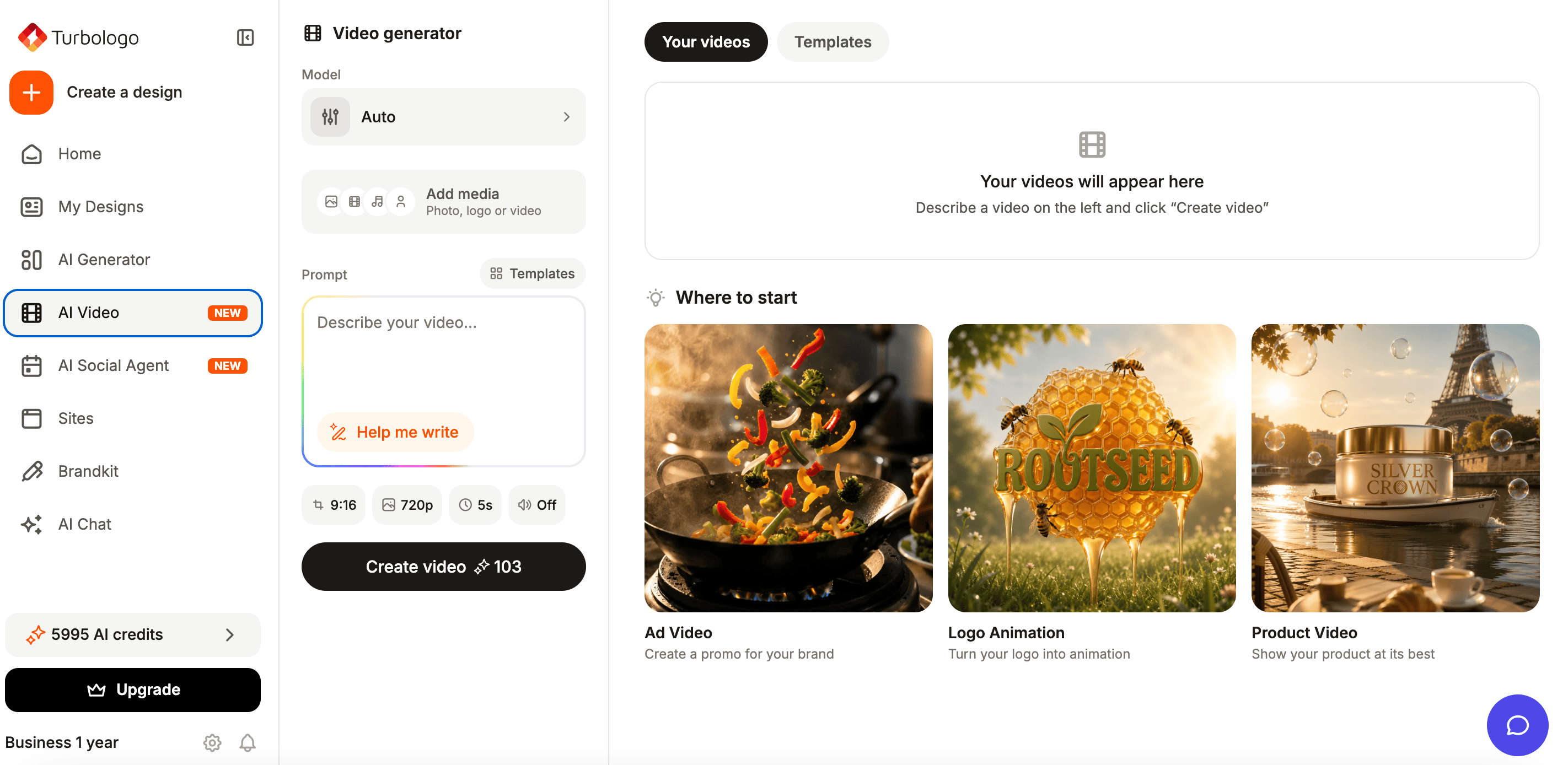
If the task is to create an animated logo, it’s better to start not with an effect, but with the purpose of the clip. It sounds boring, but it saves half the revisions.
For social media you need a short vertical format. For a website – calm motion that doesn’t argue with the interface. For a presentation – a splash screen that opens the topic and doesn’t steal attention. For advertising – motion tied to the offer.
In Turbologo the logic is simple: the logo or brand foundation becomes the starting point, and from there the user describes the idea. If you have no experience with prompts, the prompt-enhancement feature helps. This is an important point for entrepreneurs. Not every coffee shop owner has to write like a screenwriter. Not every nail technician has to know the words “cinematic light,” “soft depth of field,” or “smooth logo reveal.” The system helps turn an everyday description into a more precise command.
A good prompt doesn’t need to be long for the sake of length. It should answer four questions: what the brand is, where the logo appears, what mood the clip has, and where the video will be used.
Example for a coffee shop:
“A coffee shop’s logo appears in warm morning light above a cup of coffee, light steam, a wooden table, a cozy mood, a short vertical video for Reels.”
Example for a construction company:
“A construction firm’s logo assembles from blueprint lines and metal elements, a strict style, a dark background, confident motion, a format for a presentation.”
Example for a beauty salon:
“A beauty salon’s logo smoothly appears on a light background, a soft glow, textures of cosmetics and hair, a calm premium rhythm, a video for stories.”
It also helps to revisit the fundamentals of animated logos. Even as the tools change, the principles stay the same: readability, short duration, brand fit, and the right format.
Expert tip: don’t start with the phrase “make it beautiful.” For AI that’s an empty command. It’s better to write “the logo appears calmly, without sharp flashes, against the product, in the brand’s colors.” Taste often begins not with what you added, but with what you forbade.
Popular effects and styles
An effect should serve the meaning. If motion isn’t connected to the brand, it turns into noise. Below is a working table you can use before creating a clip.
| Style | Who it suits | Where to use |
| Smooth appearance | Beauty, medicine, consulting, education | Website, stories, presentations |
| Line assembly | Architecture, construction, IT, engineering | Presentations, YouTube, corporate videos |
| Appearance on a product | E-commerce, delivery, cosmetics, apparel | Advertising, product cards, Reels |
| 3D rotation | Tech brands, apps, gaming projects | Promos, splash screens, video ads |
| Light accent | Premium services, jewelry brands, restaurants | Website, presentation, short ads |
| Hand-drawn animation | Children’s projects, handmade, education | Social media, explainer videos |
| Minimalist motion | B2B, finance, legal services | Presentations, website, corporate video |
There’s also neon, glitch, smoke, particles, liquid transitions, cinematic light. But they aren’t universal. Glitch suits a gaming channel or a digital studio, but looks strange for a notary. Particles look beautiful in a preview, but sometimes read poorly in a small format. 3D looks convincing until it starts to resemble a splash screen from a decade-old template.
For a small business I more often advise starting with simple styles: a smooth appearance, tidy assembly, light glow, motion through brand elements. Simple animation ages more slowly.
Logo videos for social media
Social media is the first place where an animated logo pays off. Not because you “have to be trendy” there. But because the feed is built against static content. Users scroll fast. The first frame decides more than we’d like to admit.
An animated logo is used in different ways on social media. Sometimes it opens the clip. Sometimes it appears at the end as a signature. Sometimes it works as a semi-transparent element in the background. Sometimes it becomes a transition between scenes.
The main thing is not to put a long intro in every clip. That’s annoying. In short formats a logo needs just 1-2 seconds at the start or a neat appearance at the end. If the clip is promotional, it’s better to tie the logo to the offer: the mark, the product, a short call to action, a clear frame.
For a business that creates content regularly, not only the video matters, but the overall publishing system too. And here the logo, templates, colors, and visual rhythm all have to work together. Our piece on social media branding complements this topic well: a unified brand image is built not from one beautiful clip, but from repeatable visual decisions.
Video for websites, presentations, and corporate clips
On a website, an animated logo is best used carefully. A business owner often wants to put a video in the hero section so it’s “instantly impressive.” But the effect shouldn’t get in the way of the page’s job. If a visitor came to learn the price, book a service, or view the catalog, a heavy full-screen splash screen will be excessive.
A good option is a short video in the about-brand block, in the landing page header, in the product presentation section, or in a background that doesn’t get in the way of the text. The logo appears softly, doesn’t cover the interface, and doesn’t jerk attention every three seconds.
In presentations, an animated logo works more simply. It opens the material, sets the style, and closes the final slide. It’s especially useful for startups, franchises, local manufacturers, and educational projects. When a presentation is made of scattered slides, logo animation restores the sense of wholeness.
Corporate videos are a separate story. Even a small company sooner or later makes a video: training for employees, a founder’s address, a project report, a product presentation, a clip for a trade show. If there’s a neat branded splash screen at the beginning and end, the material looks put together.
Motion designer or AI video generator
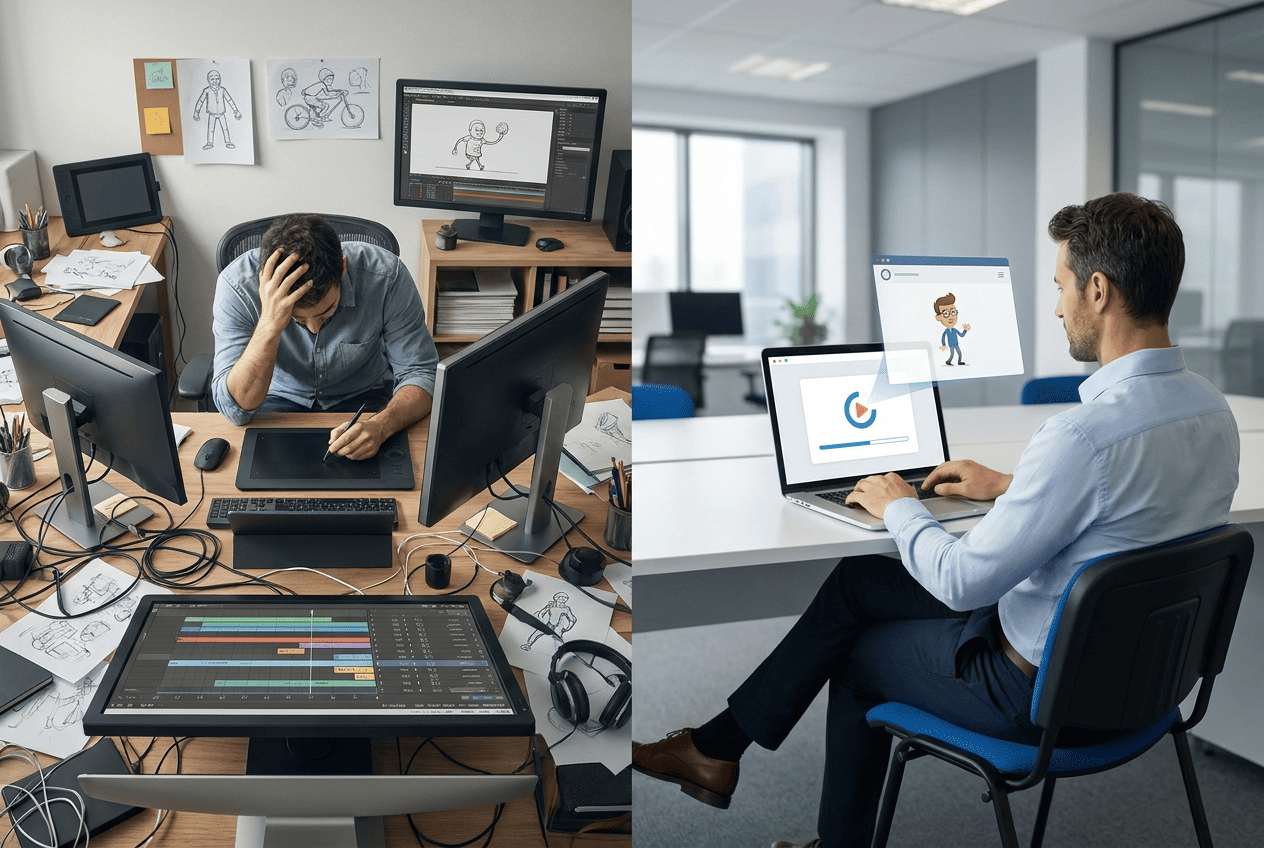
I don’t like the “AI versus designer” opposition. It’s too crude. In real work the question is different: what task is in front of the business.
If you need a complex clip with characters, several scenes, unique 3D graphics, and strict art direction, you need a specialist. If you need to quickly test several ideas for social media, make a splash screen, bring a logo to life, or create a video from a product photo – an AI video generator handles the task faster.
| Criterion | Motion designer | AI video generator |
| Getting started | Needs a brief and finding a specialist | Needs a logo and an idea |
| Speed of the first version | Days or weeks | Minutes |
| Cost of testing | Each version requires budget | Versions are created faster |
| Depth of control | High | Depends on the tool |
| Suitable for complex campaigns | Yes | Not always |
| Suitable for regular content | Not always within budget | Yes |
| Skill requirements | You need to brief a designer | Describing the result is enough |
For a small business, AI is good precisely as a tool for regularity. Not to make a one-off “wow splash screen,” but to release more branded video without expanding the team.
Mistakes when creating a logo video
The first mistake is too many effects. If the logo appears through an explosion, sparks, smoke, spinning, and glitch all at once, the viewer remembers the effect, not the brand.
The second – poor readability. The logo has to read at a small size. Especially in vertical clips, where a person is watching from a phone.
The third – a mismatch with the style. Every brand has a character. Even if it’s not written down in a brand book. A bakery, a law firm, a repair service, and a children’s clothing store shouldn’t move the same way.
The fourth – a long intro. In a short clip a 5-second splash screen eats up attention. The user hasn’t understood the value yet, and the brand is already making them wait.
The fifth – a lack of purpose. Sometimes the logo moves beautifully, but nothing happens next. No product, offer, website, contact, booking, or button. You end up with a splash screen for the sake of a splash screen.
The sixth – one format for all platforms. Vertical video doesn’t always suit a website. Horizontal looks bad in stories. A square format doesn’t cover YouTube. Before generating, it’s better to decide where the clip will live.
Checklist for a good animated logo
Before publishing, it’s worth running a short check. It saves you from most odd decisions.
- The logo reads on a phone screen.
- The motion matches the niche and the brand’s character.
- The clip doesn’t start with an unnecessary pause.
- The duration suits the platform.
- The colors don’t clash with the brand palette.
- There’s a version for the format you need: 9:16, 1:1, or 16:9.
- The video isn’t overloaded with effects.
- At the end it’s clear what to do next: click through, order, book, view the product.
This list looks simple. But it’s exactly on such simple things that small businesses’ visual content most often falls apart.
The bottom line
A logo should no longer be seen as a file needed only for a website and a business card. For a small business it becomes the foundation of video marketing. From it you can make an intro, a splash screen, an ad, styling for Reels, a presentation element, a video for the website, and corporate material.
An AI video generator doesn’t replace brand strategy. It doesn’t come up with positioning for the entrepreneur. But it removes the technical barrier between an idea and the first clip. That’s already a lot.
Business owners used to think: “Video is expensive, complicated, you need a specialist.” Now the question sounds different: “What clip does the brand need today?” For a promotion, a website, a presentation, a product, social media. And if you have a logo, a visual identity, and a clear idea, video becomes not a big project, but a working tool.
Frequently asked questions
How many seconds should an animated logo last?
For social media, 1-3 seconds is often enough. For a presentation or a YouTube intro – 3-5 seconds. If the splash screen lasts longer, it should do more than just show the logo – it should reveal the brand’s idea.
Can you make a logo video without design skills?
Yes. For basic tasks it’s enough to upload the logo, choose a format, and describe the idea of the clip. But taste and checking the result are still needed. It’s worth assessing readability, style, color, and length.
What’s better for a small business: a template or an AI video generator?
A template works when you need a fast, standard result. An AI video generator is more useful when the clip has to account for the niche, the product, the mood, and a specific task. Often a good result comes from a combination: the template sets the base, and AI helps adapt the idea.
Where is the best place to use an animated logo first?
I’d start with social media and presentations. The result shows up faster there. Then you can adapt the video for the website, advertising, YouTube, and corporate materials.
Do you need to animate an old logo?
If the logo is recognizable and looks current, you can bring it to life. If the mark is outdated, reads poorly, or doesn’t work at a small size, it’s better to refresh the basics first. Animation strengthens a logo, but it doesn’t fix fundamental design mistakes.