How to connect Tally to a Turbosite website
Tally is a free alternative to Typeform with a similar conversational UX. It is completely free on the basic plan with no response limits, which is why it is so popular. The paid Pro plan ($29/mo) adds branding, advanced logic, and integrations. Installation takes 5–10 minutes.
What you will need
- A Tally account — free registration at tally.so
- A published website on Turbosite
- 5–10 minutes
Step 1. Create a form in Tally
- Register at tally.so and log in to your account.
- Click «+ Create new form».
- Start from scratch or choose a template.
- Add fields: text, selection, rating, contact details, files, etc.
- Configure transition logic between blocks (if needed).
- Customize the design on the «Theme» tab.
- On the «Settings» tab, configure notifications, redirects after submission, etc.
- Publish the form («Publish»).
📷 Screenshot: Tally editor with a configured form.
Step 2. Get the embed code
- After publishing, go to the «Share» tab.
- Select the «Embed» section.
- Choose the embed type:
- Embed in your website (inline) — the form as part of the page.
- Popup — opens on click.
- Slider — slides in from the edge.
- Popover — a mini-button in the corner.
- Copy the generated code.
📷 Screenshot: Share → Embed tab with embedding options.
Step 3. Insert the code into Turbosite
For an inline form:
- Open your website in Turbosite.
- Add an “HTML code” block to the desired place on the page.
- Paste the Tally code.
- Save and publish.
For Popup / Slider / Popover:
-
Open your website in Turbosite.

-
Go to Site Settings → Integrations → HTML code in
<head>(this is a service part of the page — visitors do not see it, but scripts are loaded from there when the site is opened).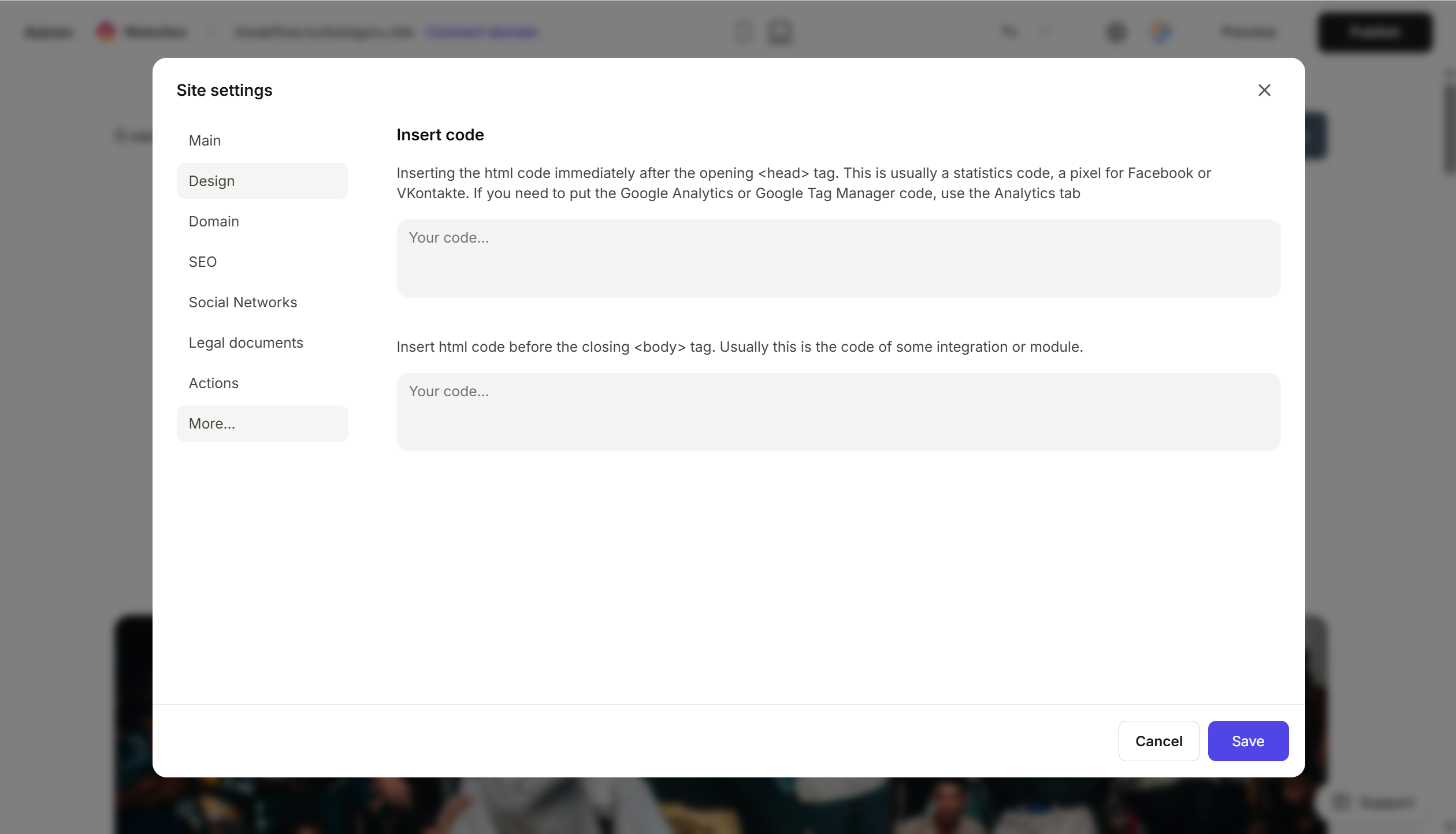
- Paste the Tally code.
- Save and publish.
Step 4. Verify that the form works
- Open the published website.
- Find the form or trigger the popup.
- Fill it out and submit.
- An entry should appear in Tally → Submissions.
FAQ
Is Tally really free? Yes, the basic plan has no limits on forms, responses, or fields. Paid options (Pro $29/mo) add branding removal, advanced logic, and premium templates.
How is Tally different from Typeform? Tally is cheaper and simpler. In terms of UX, it is very similar, with mostly the same features. Typeform is more visually appealing and has more templates, but it is more expensive.
Can I connect Tally to a CRM? Yes, via integrations (Notion, Airtable, Mailchimp, Zapier, Make, etc.). This is configured in Tally → Integrations.
Can I remove Tally branding? On the paid Pro plan, yes. On the free plan, there will be a “Made with Tally” label at the bottom of the form.
The form does not open on the site. Check that the code is complete, the site is published, and there are no ad blockers. For inline, check that the HTML block is added to the correct place. For popup, there must be a trigger button.
Where to look next
- Tally Help Center — official documentation
- Embedding Tally forms — step-by-step guide
- Tally pricing — description of features