Connect Your Domain with GoDaddy
Step 1: Set up DNS at your domain registrar
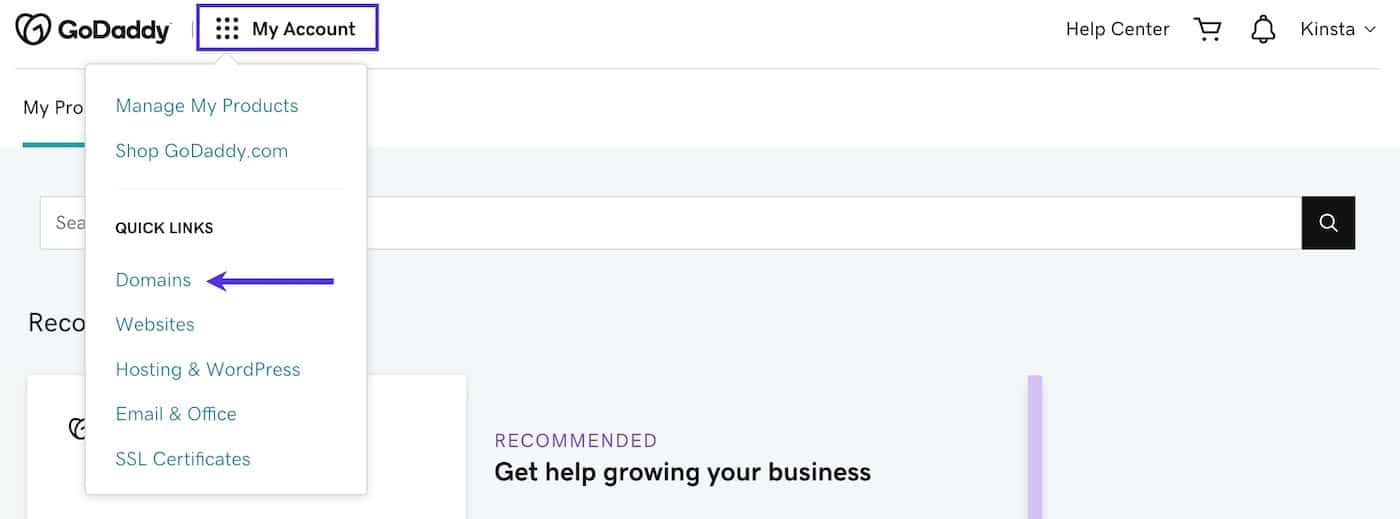
Log in GoDaddy, click on My Account near the upper left corner and select Domains under Quick Links.
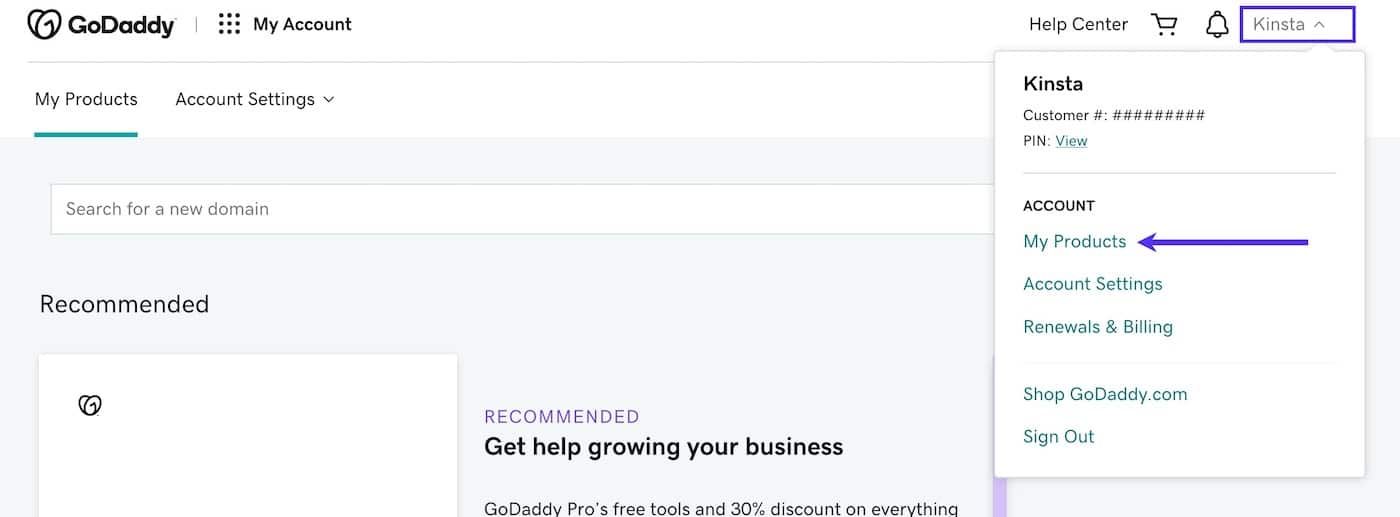
Alternatively, you can click on your name near the upper right corner and select My Products from the dropdown menu.
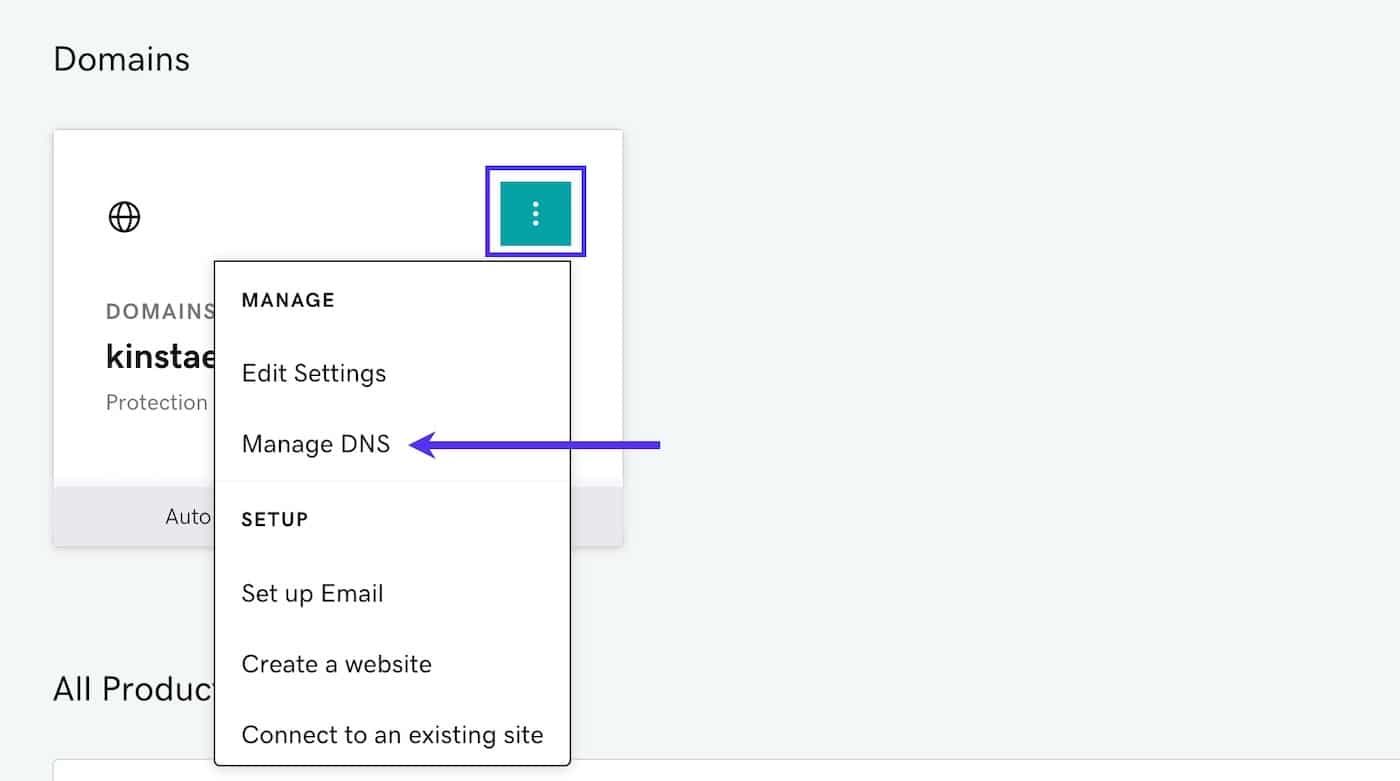
Click on three-dot menu for your domain and select Manage DNS from the dropdown menu.
Step 2: Add a New ‘A Record’
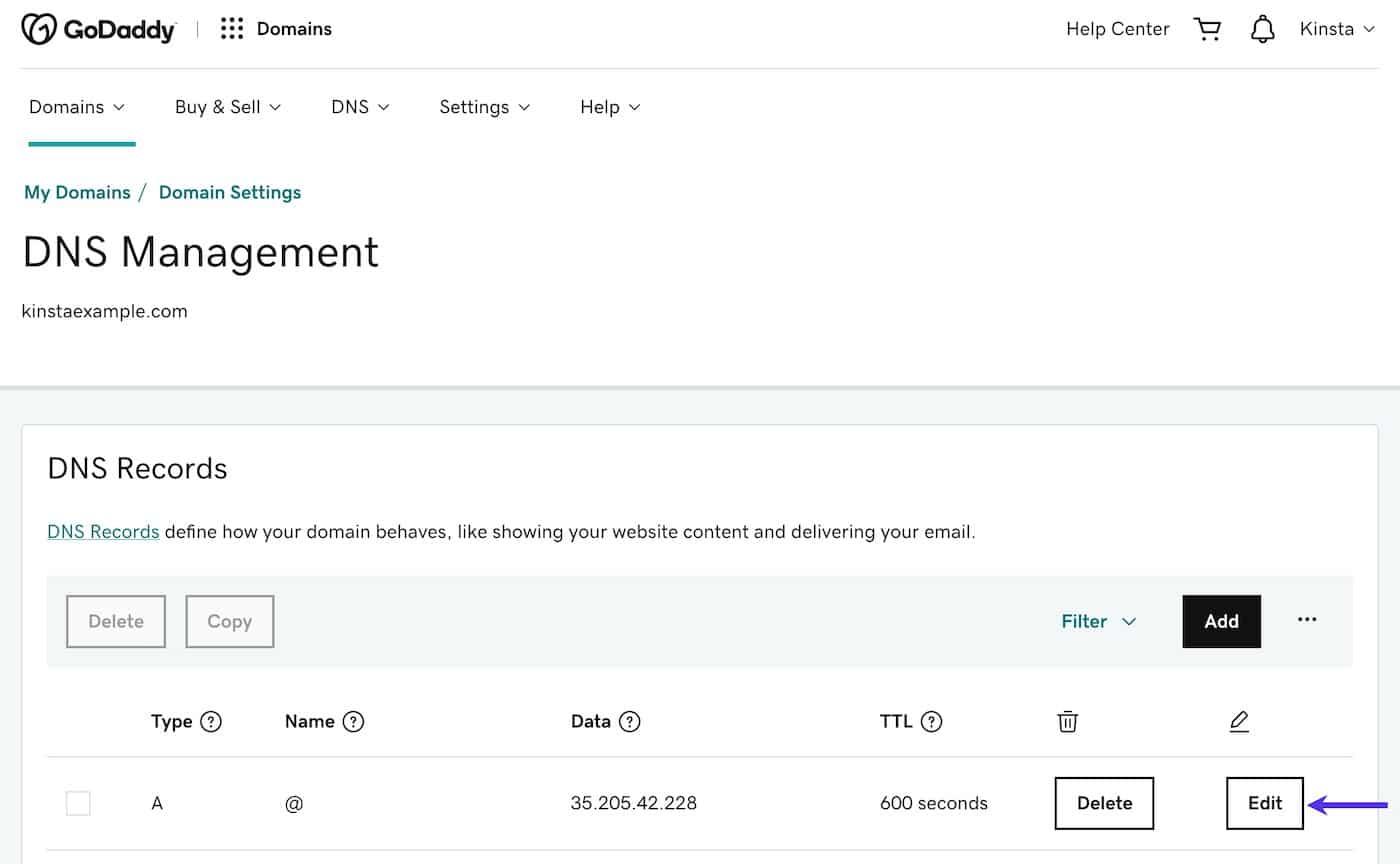
Click the Add button and enter the following details:
Type: A
Name: @
Value: Your Site IP address from Turbologo
Click the Add record button to save your new A record.
Your Site IP address from Turbologo
| For domains in .com, .net, .org, .ai, or .co zones — use IP 209.38.49.193. For domains in .ru zones — use IP 176.114.88.71 |
| If you have other A-records for the main domain, delete them. There should only be one A-record for your domain, otherwise the domain will not work correctly. |
All changes may take from 3 to 24 hours
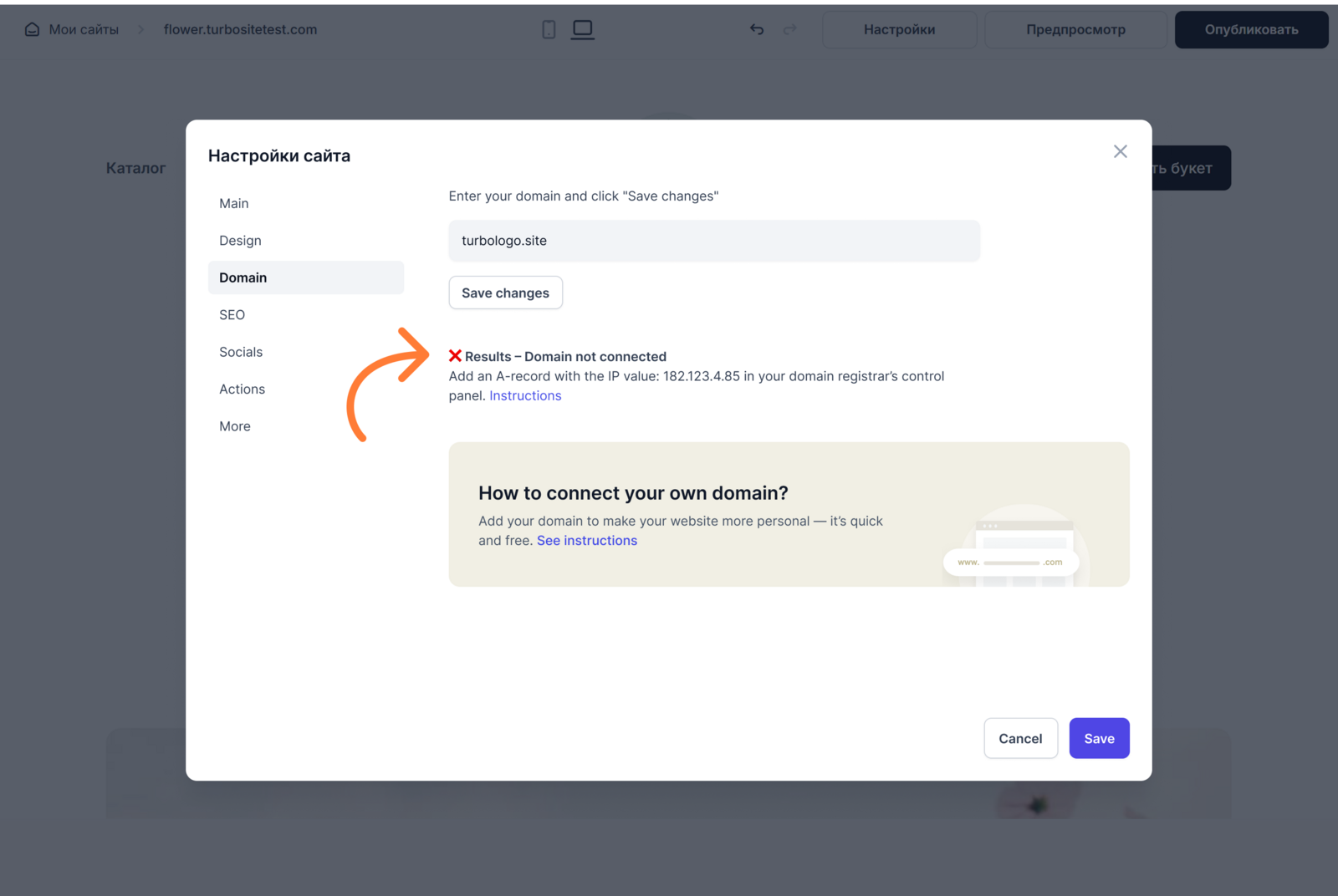
Step 3: Return to Turbologo and open your website settings.
Once the records are updated, you will see a message in the website settings confirming that the domain is connected. After publishing, your site will be accessible via your chosen link — you’ll be able to view it and share it with others.